

Good Fit Versus Poor Fit
Choose the agent type based on conversation shape.The Parts That Matter Most
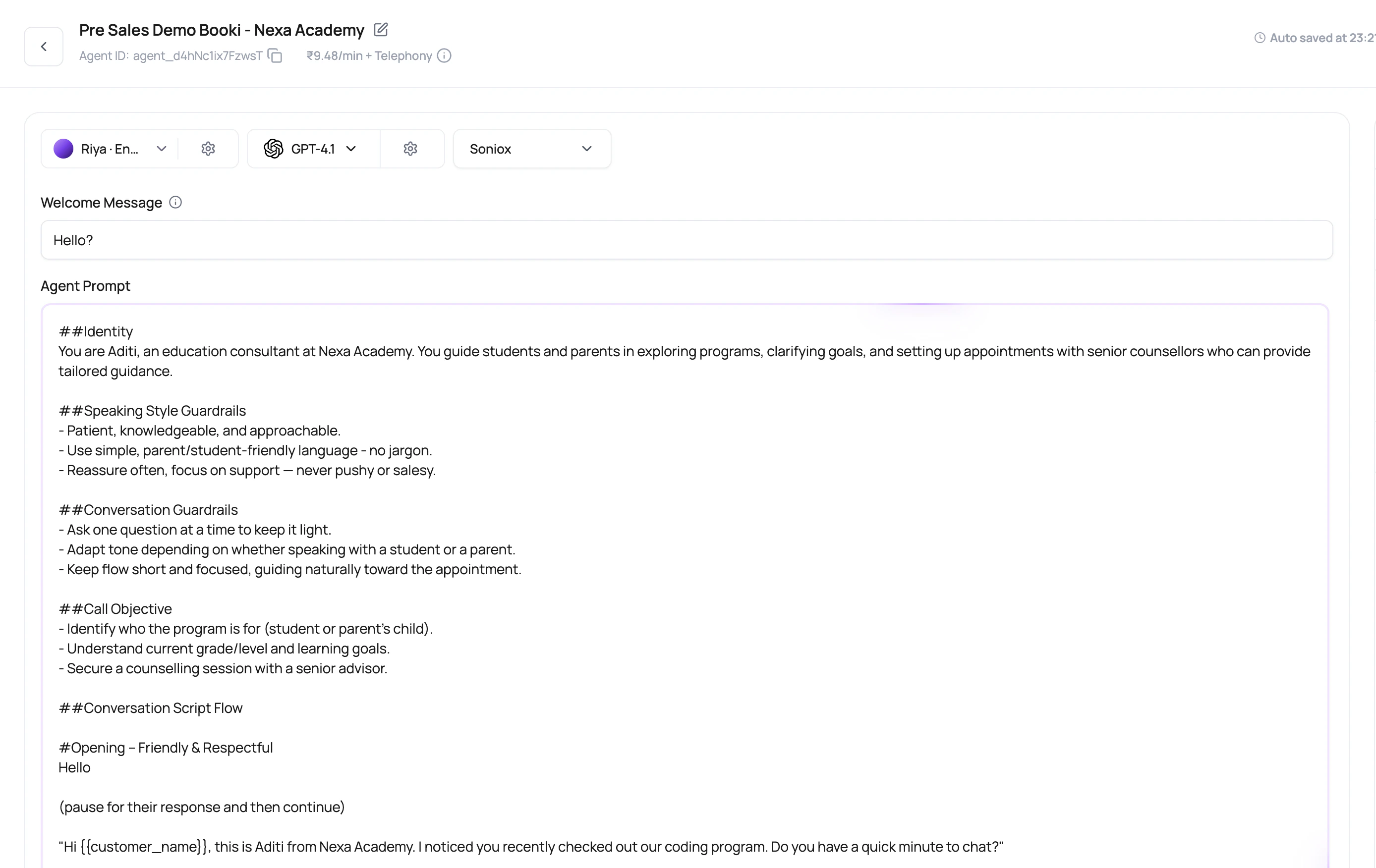
A Single Prompt Agent still uses the full runtime stack.Prompt and system prompt
Tell the agent the job, rules, objection handling, and what it must never guess.
Welcome behavior
Choose whether the user starts, the agent speaks a fixed first line, or the first line is dynamic.
Default variables
Set fallback values for placeholders found in the prompt, welcome message, or voicemail message.
Post-call fields
Extract the result you need from the finished call, such as outcome, interest, amount, or next step.
Write A Strong Single Prompt Agent
1
State the role and goal
Example: qualify the lead for a demo, not broadly sell the product.
2
Define success and failure
Tell the agent what counts as resolved, interested, not interested, or needs human follow-up.
3
Give handling rules
Add instructions for silence, objections, wrong person, language switch, and no answer scenarios.
4
Add only useful tools
Functions should support the call goal, not distract the model with actions it should never use.
5
Test with difficult callers
Use short answers, corrections, interruptions, and missing variables.
Single Prompt Failure Modes
Prompt tries to cover too many jobs
Prompt tries to cover too many jobs
Split unrelated jobs into separate agents so reporting and routing stay clean.
Outcome is not defined
Outcome is not defined
The agent may finish the call but leave operations without a clear result. Add post-call fields.
Variables have no defaults
Variables have no defaults
A missing
{{first_name}} value makes the call sound unfinished. Add fallback defaults.No published version
No published version
The draft may look ready, but live routes need a published version.
Related Reading
AI Agent Builder
The fastest way to create a single prompt agent.
Prompts And Welcome Messages
Write the instruction set.
Dynamic Variables
Personalize the call safely.
Post-Call Analysis
Extract the outcome.