

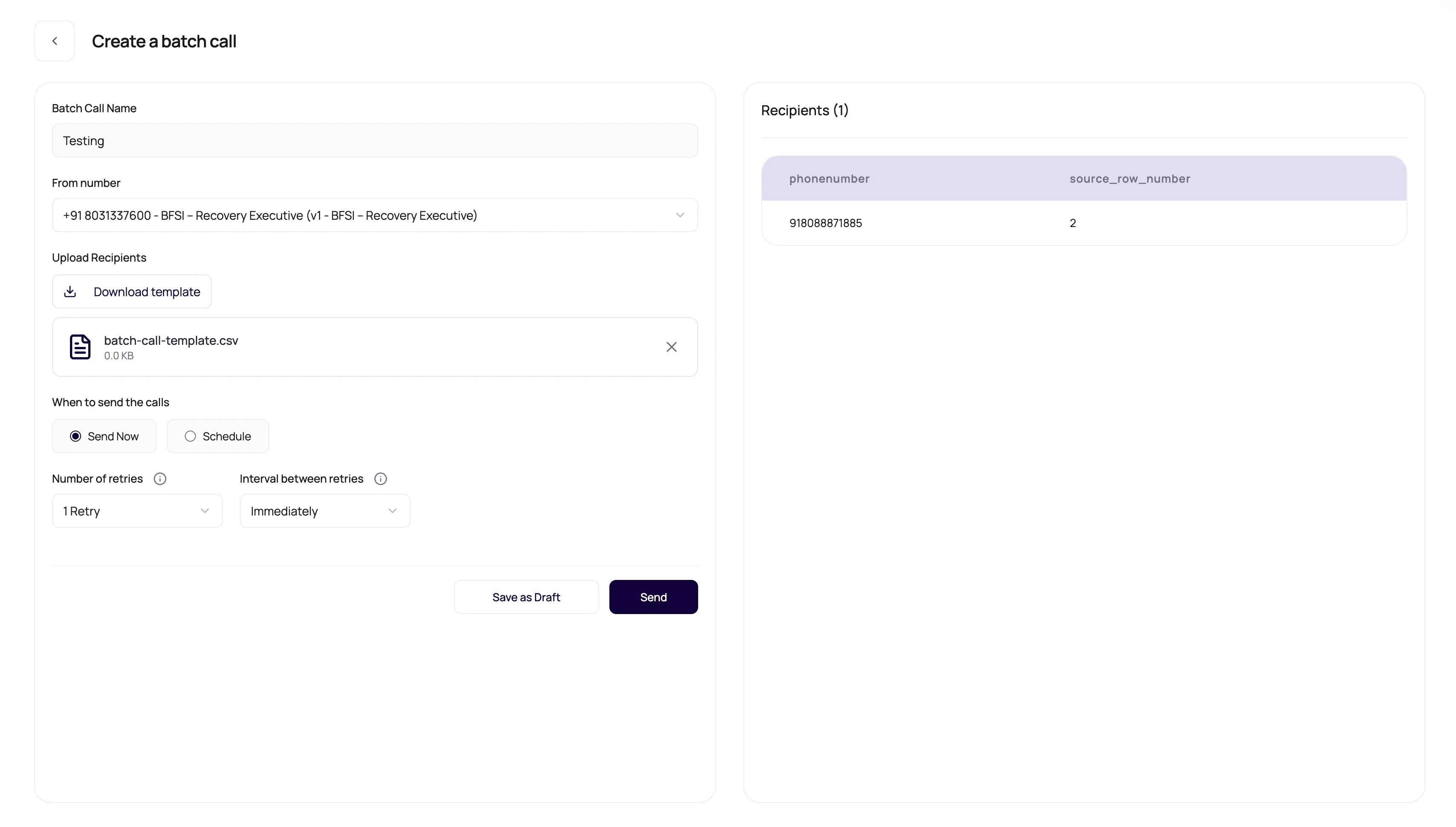
Drafts are where campaigns can be boring on purpose. Boring before launch is cheaper than exciting after launch.
Before You Begin
Prepare a validated recipient file, tested agent version, assigned outbound number, schedule timezone, and retry policy. Confirm the workspace is ready for outbound calls.DialNexa Batch Draft Schedule And Launch Controls
These controls decide when calls begin.Review Before Starting
1
Check campaign name
Make it recognizable in Call History and exports.
2
Confirm selected number
A wrong outbound number means a wrong agent version.
3
Review recipient preview
Scan phone numbers and variable values.
4
Set retry count and interval
Retries can multiply call attempts.
5
Choose now or schedule
Make sure the start time matches operations coverage.
Launch Questions
Can I edit after starting?
Can I edit after starting?
Treat started campaigns as live activity. Review drafts before launch.
Why is the selected number missing?
Why is the selected number missing?
Only numbers with outbound agent assignments are useful for batch calls.
Why does schedule matter?
Why does schedule matter?
Calling outside expected hours can hurt answer rates and customer experience.
Verify The Launch
Confirm the campaign moves to the expected status, the scheduled time uses the intended timezone, calls appear in Call History, and paused or cancelled controls behave correctly on a test campaign.Launch Troubleshooting
If the campaign does not start, check KYC, wallet balance, outbound number assignment, published agent version, schedule time, retry count and interval, recipient validation, and whether another campaign is already running or waiting. When a create request succeeds but another running, waiting, or nearby scheduled batch already exists, DialNexa can return a non-blocking warning. The new batch is created, but it may wait because one organization runs one batch at a time.Related Reading
Batch Overview
Understand campaign setup.
Retries And Statuses
Set retry behavior.
Call History
Watch campaign calls.