

Before You Begin
Collect the SIP phone number, termination URI, authentication requirements, expected caller ID behavior, and one published agent version for testing. Confirm that your SIP provider allows the intended inbound or outbound route.DialNexa SIP Trunking Versus Number Purchase
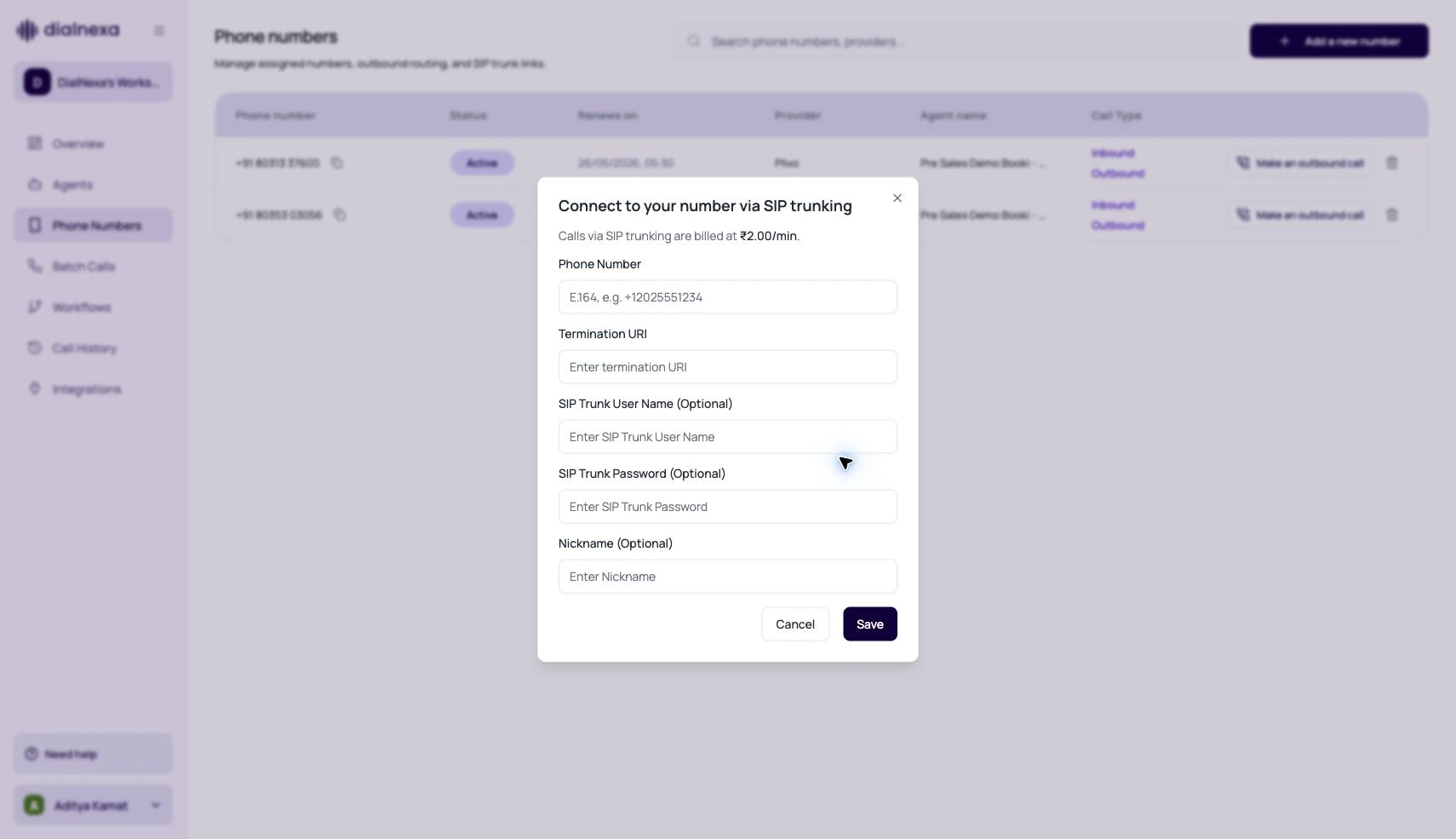
Fields In The SIP Trunk Modal
Link And Validate A SIP Number
1
Open Phone Numbers
Use the Phone Numbers page to start the SIP linking flow.
2
Enter the SIP details
Provide phone number, termination URI, and optional credentials if your trunk requires them.
3
Assign published versions
The number still needs inbound or outbound published agent versions. SIP decides the route, not the conversation behavior.
4
Place an inbound test
Confirm the correct agent answers, the caller hears audio, and Call History stores the call.
5
Place an outbound test
Confirm caller ID, audio quality, transcript quality, status, duration, and end reason.
SIP Audio Review
SIP-routed calls use phone-grade audio. The exact quality depends on your carrier and trunk configuration.Troubleshooting
Calls fail immediately
Calls fail immediately
Check phone number format, termination URI, credentials, and whether the linked number is active.
Audio is one-way or distorted
Audio is one-way or distorted
Review trunk media settings, recording, and transcript. Compare against a Plivo or web call if you need a baseline.
Wrong agent answers
Wrong agent answers
Phone number assignment controls the agent. Check inbound and outbound published versions.
Transfers behave differently
Transfers behave differently
Test transfer behavior through the exact trunk before production use.
Verify The SIP Trunk
Place one controlled test call. Confirm that the correct agent answers, both sides can hear clearly, caller ID is expected, and Call History stores the correct direction, route, status, and recording.Related Reading
Phone Numbers
Manage number status and assignments.
Audio Quality
Review recording and transcript quality.
Call Transfer
Test handoffs through the trunk.
Call History
Audit SIP-routed calls.