

Before You Begin
Decide whether you need a DialNexa-provisioned number or an existing SIP number. For number purchase, confirm account readiness and wallet balance. For live routing, publish and test the agent version first.Buy A Number
1
Open Phone Numbers
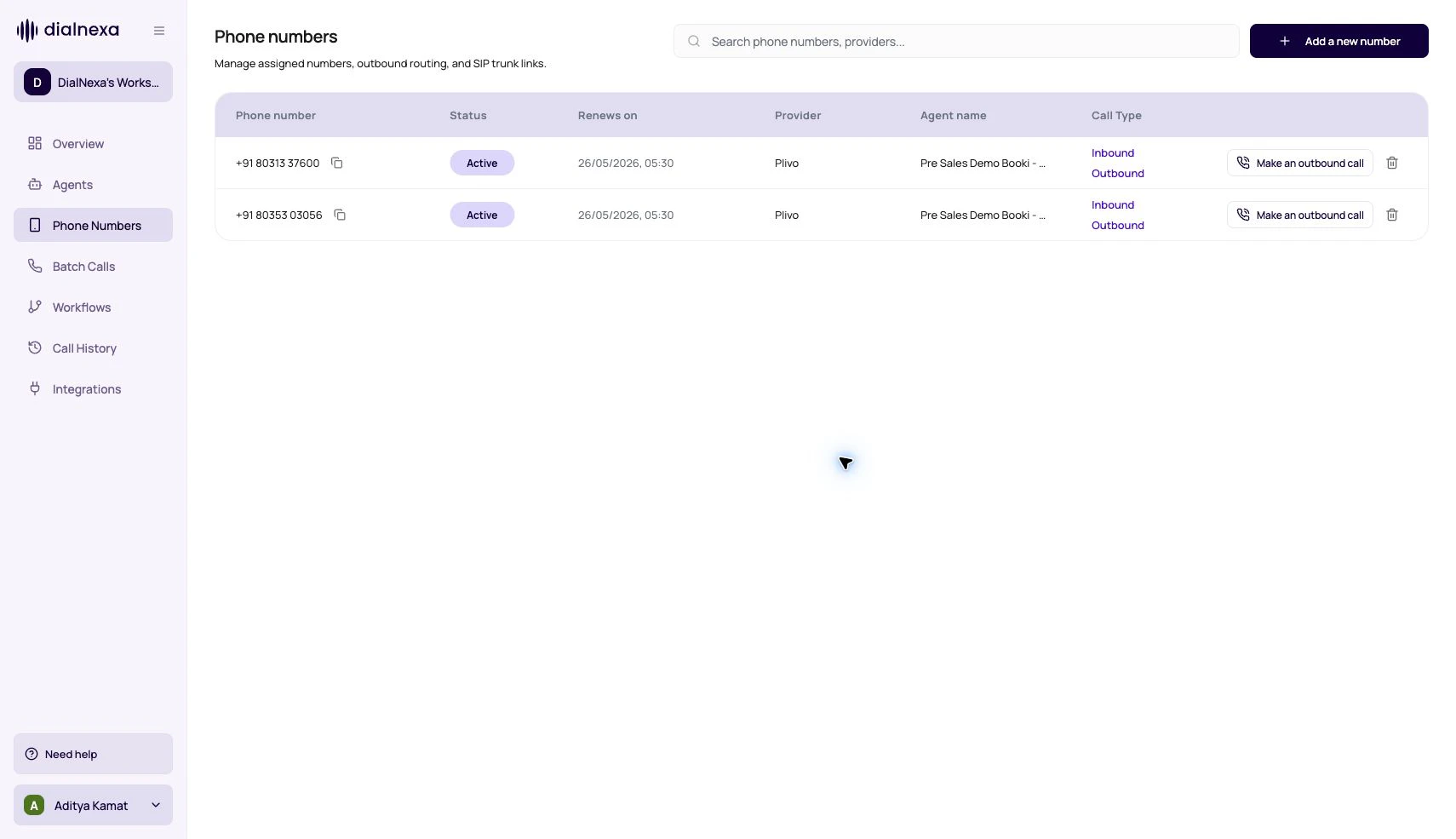
In the left sidebar, click Phone Numbers, then click Buy Number.
2
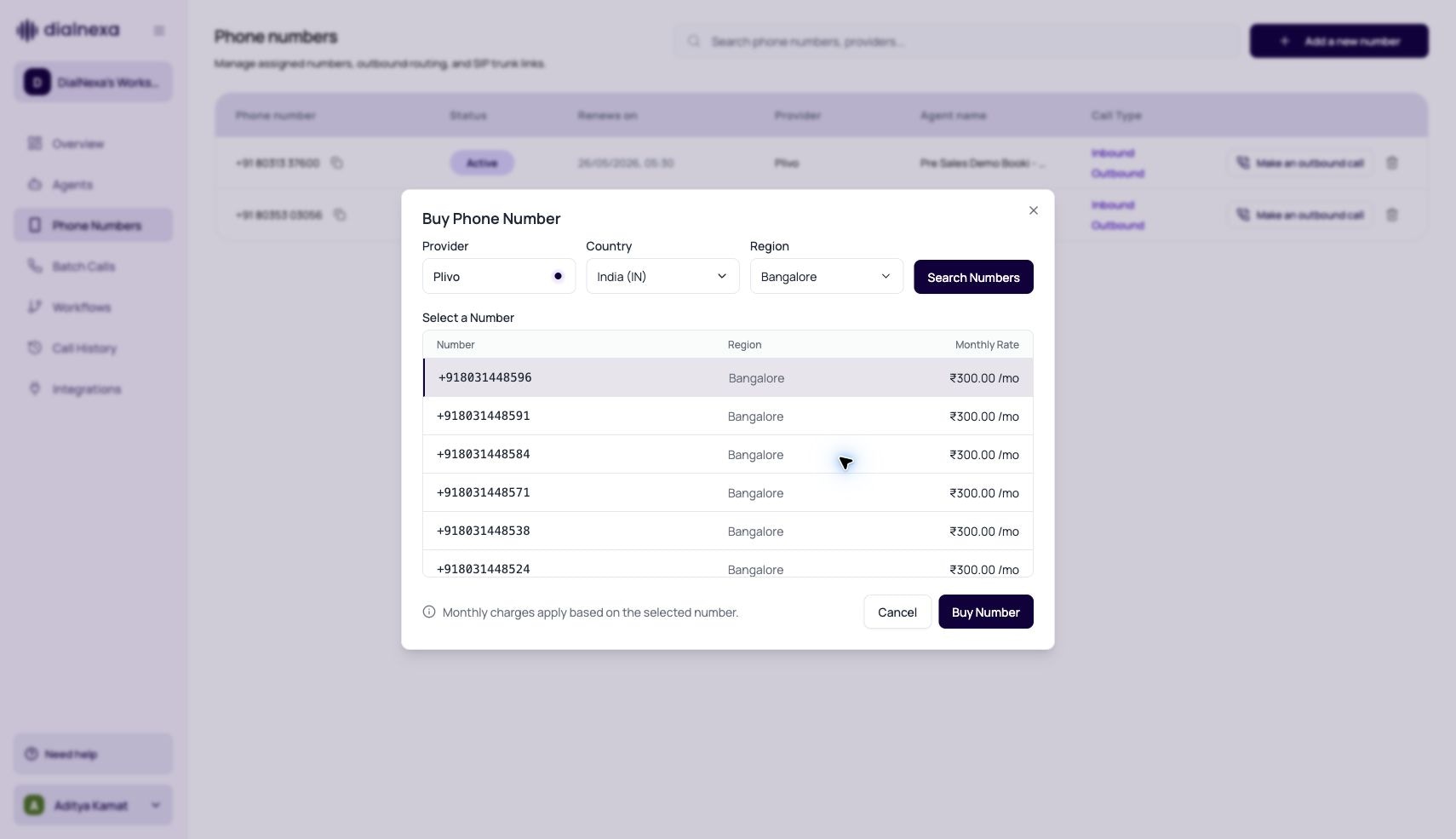
Pick country and region
Select the destination country and, where offered, a region or number type. The modal lists available numbers with their monthly rate.
3
Select a number and confirm the rate
Pick a number from the list and review the monthly rental cost shown next to it. The cost is billed from your wallet.
4
Purchase
Click Buy. The number appears in your Phone Numbers list within a few seconds. If provisioning stays pending, check your wallet balance first.
Buying a number only creates the route. Callers reach an agent only after you assign a published inbound agent version, and outbound calls also require KYC verification.
Number Types In The Dashboard
Buy Number Compliance Gates
The Buy Phone Number modal supports United States and India purchase flows, but the dashboard can block a country before search when the workspace is not ready.
When a country is blocked, its dropdown option is disabled with a tooltip, the search button is disabled, and an inline warning explains what must be completed first. The US message points users back to KYC verification. The India message asks users to submit compliance documentation and complete KYC verification.
If a country is available, users can select the region, search available numbers, review monthly rental pricing, and purchase from the returned list. If search stays disabled after readiness is complete, refresh the organization context and confirm the workspace has the latest KYC and compliance state.
Phone Number Fields Users Should Recognize
Inbound And Outbound Assignments Are Separate
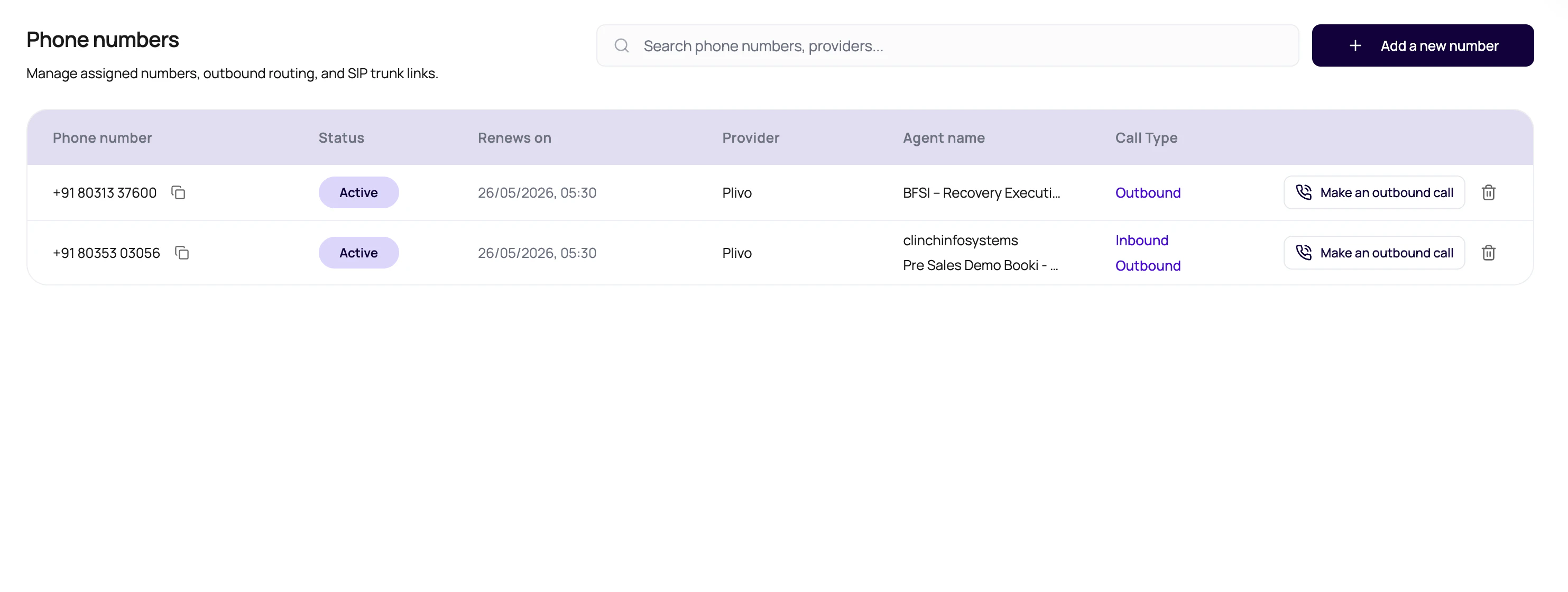
The Phone Numbers table shows assigned agent context and call direction for each number. Use the agent or routing configuration flow for version changes. The table row itself is not where you rename agents or edit published versions.Telephony Pricing Behavior
Source number country does not decide outbound destination pricing. The called number does.
Outbound Destination Validation
Single outbound calls and batch calls validate the destination before creating call records. The checks happen in this order:- The destination must be present, parseable, and possible as an international phone number.
- If KYC is not verified, the owner can only call the registered verification number.
- For non-SIP routes, the destination country ISO code must be enabled in Workspace Settings > Telephony Config.
- If the enabled network group has prefixes, DialNexa checks the most specific matching prefix for that destination country. A shorter enabled prefix does not allow a number whose more specific matching prefix is disabled.
- SIP trunk numbers and enabled SIP/BYOC workspace config bypass destination country rules.
+1 are evaluated by the resolved country, not only by the 1 calling code.
Prepare A Number For Production
1
Confirm active state
Pending or expired numbers should not be used for critical traffic.
2
Check readiness
Complete KYC or regional requirements where the dashboard asks for them.
3
Assign published versions
Select the inbound and outbound agent versions that should own live calls.
4
Review Telephony Config
Confirm the destination countries and network groups you plan to call are enabled for this workspace.
5
Run one inbound test
Call the number and confirm the correct agent answers.
6
Run one outbound test
Start a call from the number and review status, recording, transcript, and extracted fields.
Common Phone Number Mistakes
Wrong agent answers
Wrong agent answers
Check direction. Inbound and outbound assignments are independent.
Draft changes do not affect calls
Draft changes do not affect calls
Live routes should use published versions. Publish the version before assigning it.
SIP number behaves differently from a purchased number
SIP number behaves differently from a purchased number
Test the exact SIP trunk path. Your carrier, trunk configuration, and caller ID behavior can change audio and routing.
Deleting without checking usage
Deleting without checking usage
Confirm whether the number is active, default, or used by campaigns before deleting it.
Verify The Phone Number Route
Place one inbound or outbound test that matches the configured direction. In Call History, confirm the expected number, provider route, agent version, direction, status, and audio evidence.Recap
A phone number is a route to a specific published agent version. Confirm account readiness, configure inbound and outbound assignments separately, test the intended direction, and verify the route in Call History.Related Reading
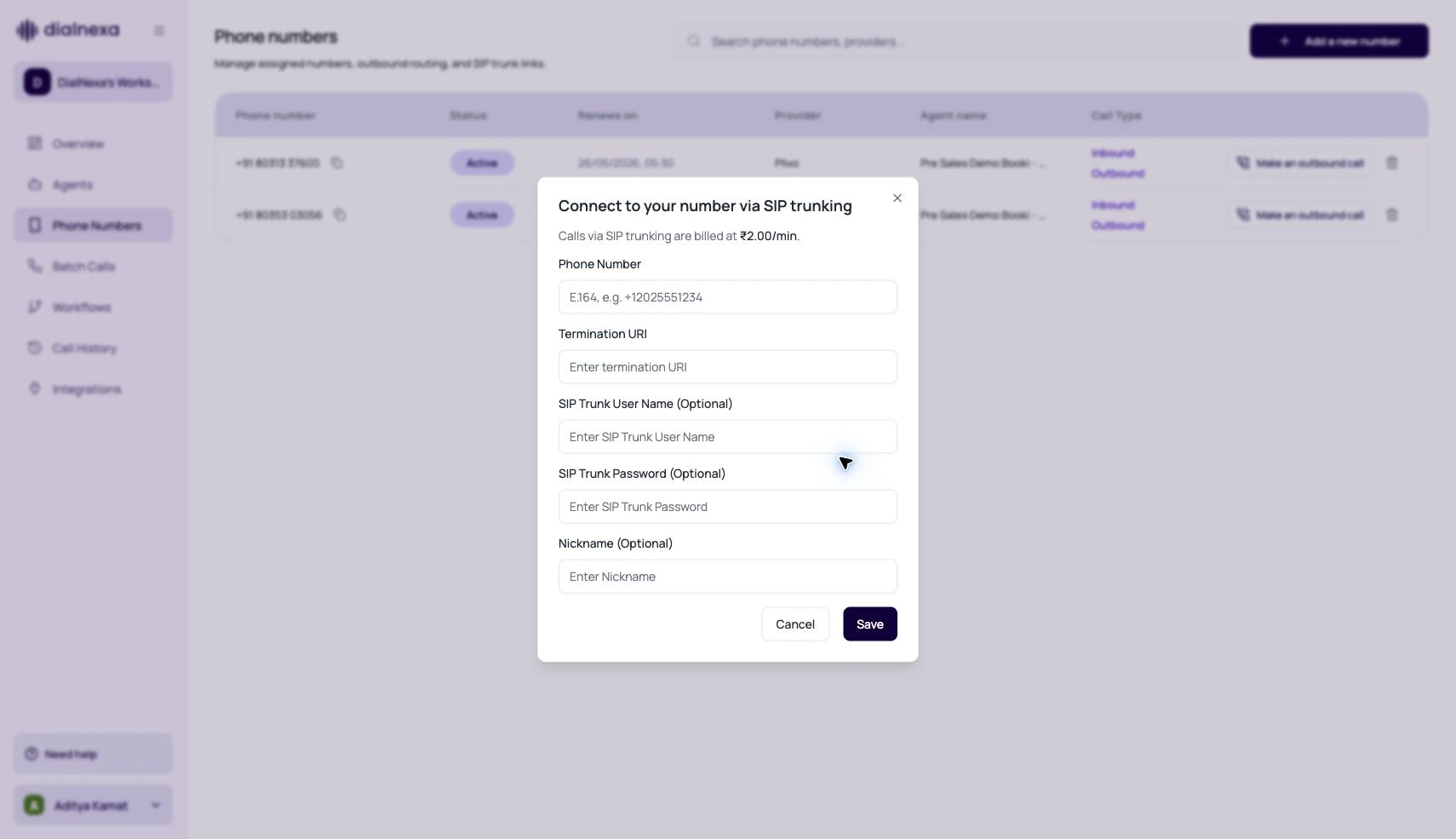
SIP Trunking
Link a number to SIP trunking.
Inbound Calls
Route incoming callers.
Outbound Calls
Start individual outbound calls.
Audio Quality
Understand phone audio and transcription.
Purchase Phone Numbers Video
Watch how to purchase supported US and Indian numbers.
Manage Phone Numbers Video
Watch how to rename or remove a phone number.