

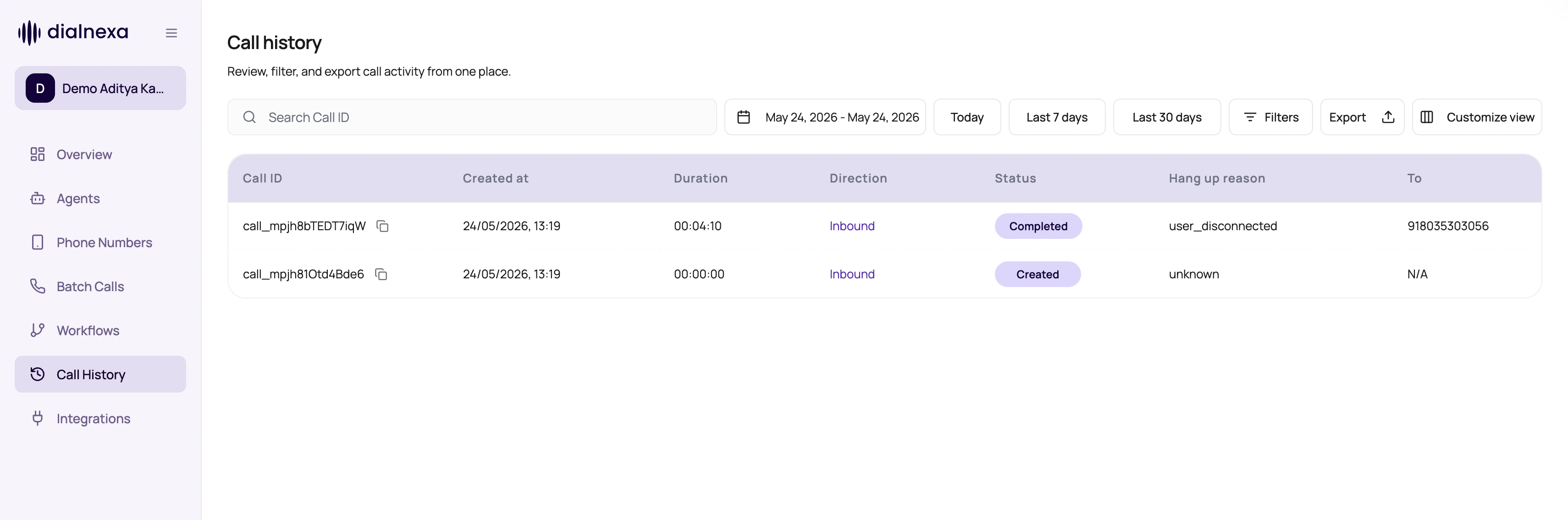
Call History Controls
These controls shape the visible call set.Filter And Detail Controls
Call History is built for repeated investigation work. Use the newer controls to keep the table and detail drawer focused.Call Status Filters
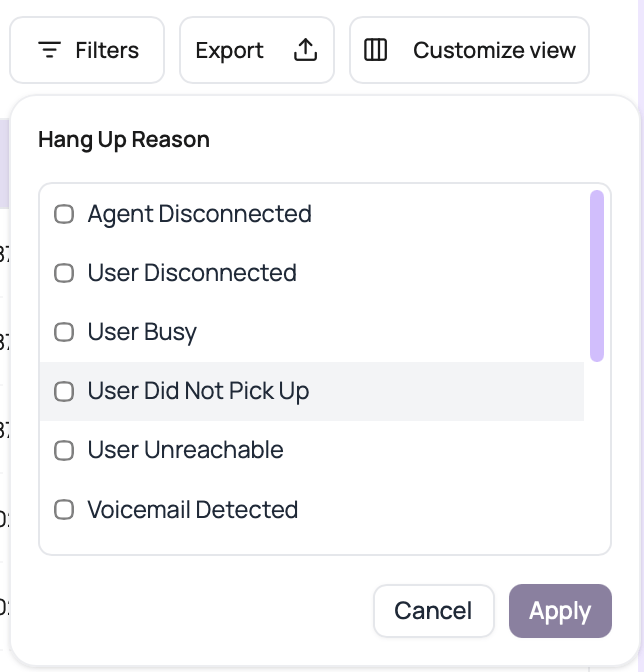
Call History status filters use call log statuses. In-progress statuses show calls that are still waiting for provider or runtime updates. Final statuses are ready for outcome review and export.Hang Up Reason Filters
Use the Hang Up Reason filter when status is too broad. It filters the storedend_reason value, so it is useful for separating user behavior from route, wallet, and provider problems.
Batch-Aware Monitoring
Call History also supports campaign review.Batch id filter
Open logs for one batch campaign through the batch call id.
Live updates
Campaign views can refresh while the campaign status is running or waiting.
Status exports
Export completed, did-not-pick, or failed groups for follow-up.
Retry expansion
Expand retry rows to inspect attempt history.
Call History Confusions
A call disappeared after filtering
A call disappeared after filtering
Clear filters or search by exact call id.
Date range seems ignored
Date range seems ignored
Call id search intentionally bypasses date and other filters.
Campaign keeps refreshing
Campaign keeps refreshing
Live updating is enabled while the batch campaign is running or waiting.
Duration sort looks odd
Duration sort looks odd
Confirm whether you are sorting duration or created time.
Related Reading
Call Detail Page
Open one call.
Recipient Results
Review campaign rows.
Statuses
Understand status labels.
Call History Filters Video
Watch how to filter calls and export matching records.