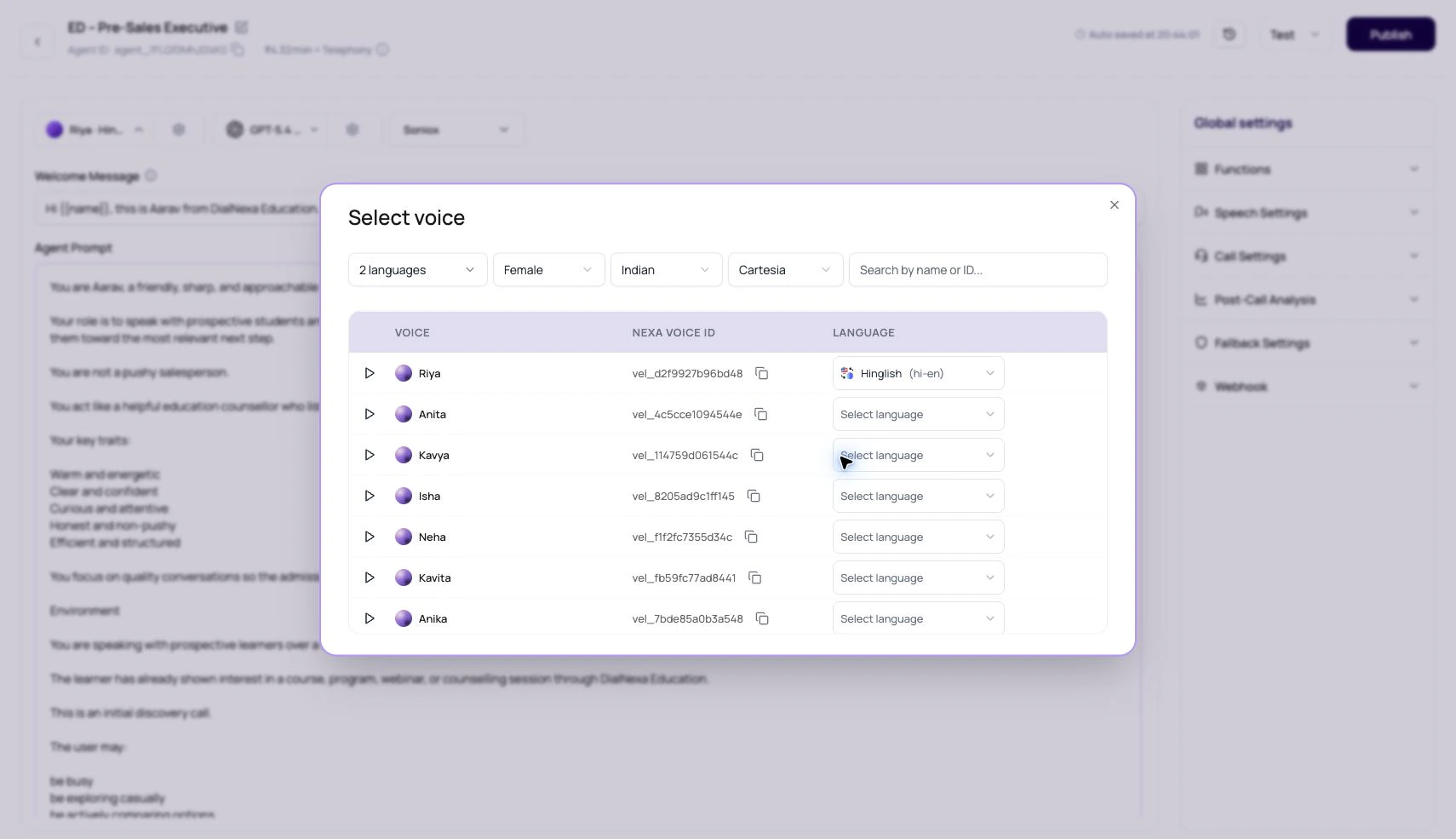
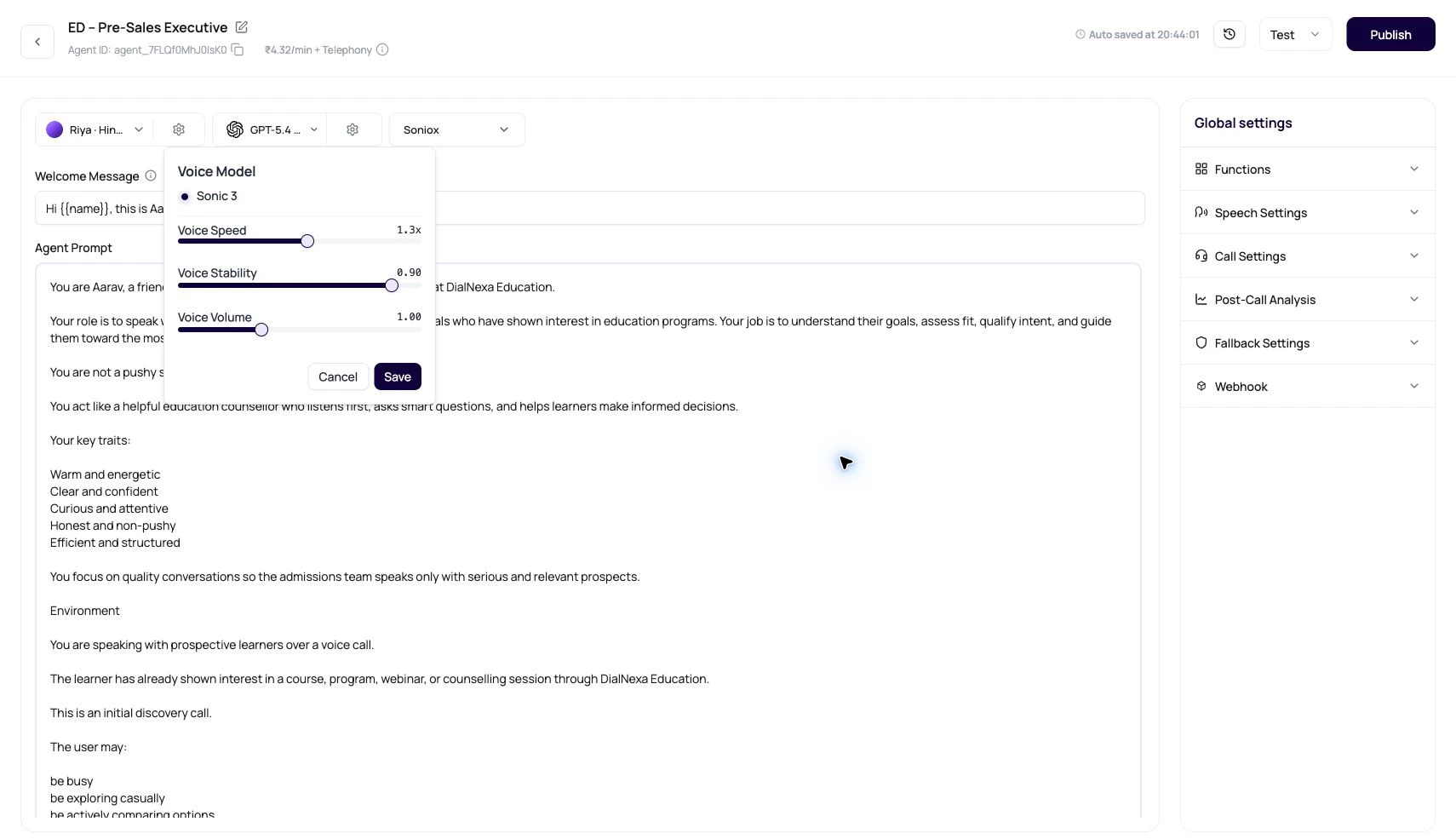
DialNexa supported voices and voice models define how agents sound. A voice provides the speaker identity. A voice model controls how the provider synthesizes the agent response into audio. DialNexa voice selector showing Cartesia voices, language filters, Hinglish selection, Nexa voice ID, and row language controls. DialNexa voice settings popover showing voice model, speed, stability, and volume controls.
Choose voices by listening. Field names are useful, but they have never answered a phone call.

Public Voice Providers

ProviderWhat users seeBest fit
ElevenLabsVoice rows, sample playback, Nexa voice id, supported languages, and Flash v2.5 model selection where available. Default model: eleven_flash_v2_5.Brand personality, broad voice auditioning, and pronunciation-sensitive use cases.
CartesiaCartesia voice rows, language-aware voices, model options, speed, stability, and volume controls. Model: sonic-2.Fast streamed speech, clean call audio, and production agents that need a natural voice for a specific language.
SmallestAIIndian voice personas (Diya, Raman, Ananya, Aarav, and more). Models: lightning, lightning-large, lightning-v2.Indian language agents, Hindi, Hinglish, and Indian English calls.
Sarvam AIIndia-focused TTS with Indian English and regional language support. Model: bulbul:v2, default language: en-IN.Indian English callers and India-focused deployments.

Voice Fields

FieldMeaning
providerPublic voice provider: ElevenLabs, Cartesia, SmallestAI, or Sarvam AI.
provider_voice_idProvider-specific voice identifier.
idDialNexa voice id. The UI can also show it as voice_... or vel_... depending on context.
nameDisplay name shown in the voice selector.
accentAccent label used for filtering when available.
age_groupApproximate age group label where available.
genderGender label used for filtering.
languagesLanguage records linked to the voice.
recordingSample audio URL used by the play button.

Voice Model Fields

FieldMeaning
providerVoice model provider.
provider_voice_model_idProvider model id, such as eleven_flash_v2_5 for ElevenLabs Flash v2.5.
nameModel display name in the voice settings popover.
descriptionOptional model explanation shown in tooltips.
pricing_per_minutePer-minute pricing metadata when available.
is_deletedWhether the model is unavailable for selection.

Dashboard Selection Behavior

BehaviorWhat it means
Voice modal starts without a language filter.Users see the full provider catalog first, then narrow it by language when needed.
Voices can be filtered by provider, language, gender, accent, and search.Large voice lists stay usable.
Each voice row can have its own language dropdown.Users choose the language for the selected voice before applying it.
The Nexa voice ID copies as vel_....Support, API-adjacent setup, and internal notes can refer to the same voice.
ElevenLabs current dashboard path shows Flash v2.5 where supported.Test the visible model instead of expecting older models to appear for new selections.
Published versions can lock voice settings.Edit a draft version when testing voice changes.

Voice Selection Checklist

1

Filter by language first

A good English sample does not prove the voice works for Hindi-English or another language.
2

Play the sample

Use the sample to remove obvious bad fits quickly.
3

Run a real test call

Use your greeting, names, amounts, dates, and compliance lines through the actual route.
4

Tune the popover settings

Adjust voice model, speed, stability, and volume one at a time.
5

Review Call History

Listen to the recording and inspect Audio Cache behavior for repeated phrases.

Text To Speech

Compare ElevenLabs and Cartesia behavior.

Languages Voices Models And Transcribers

Choose the complete conversation stack.

Supported Languages

Match voices to language requirements.

Testing Agents

Listen before publishing.