

Before You Begin
Know which service will use the key, the minimum permissions it needs, the environment where it will be stored, and who owns rotation and incident response.API Key Actions
These actions are available from the Keys page.
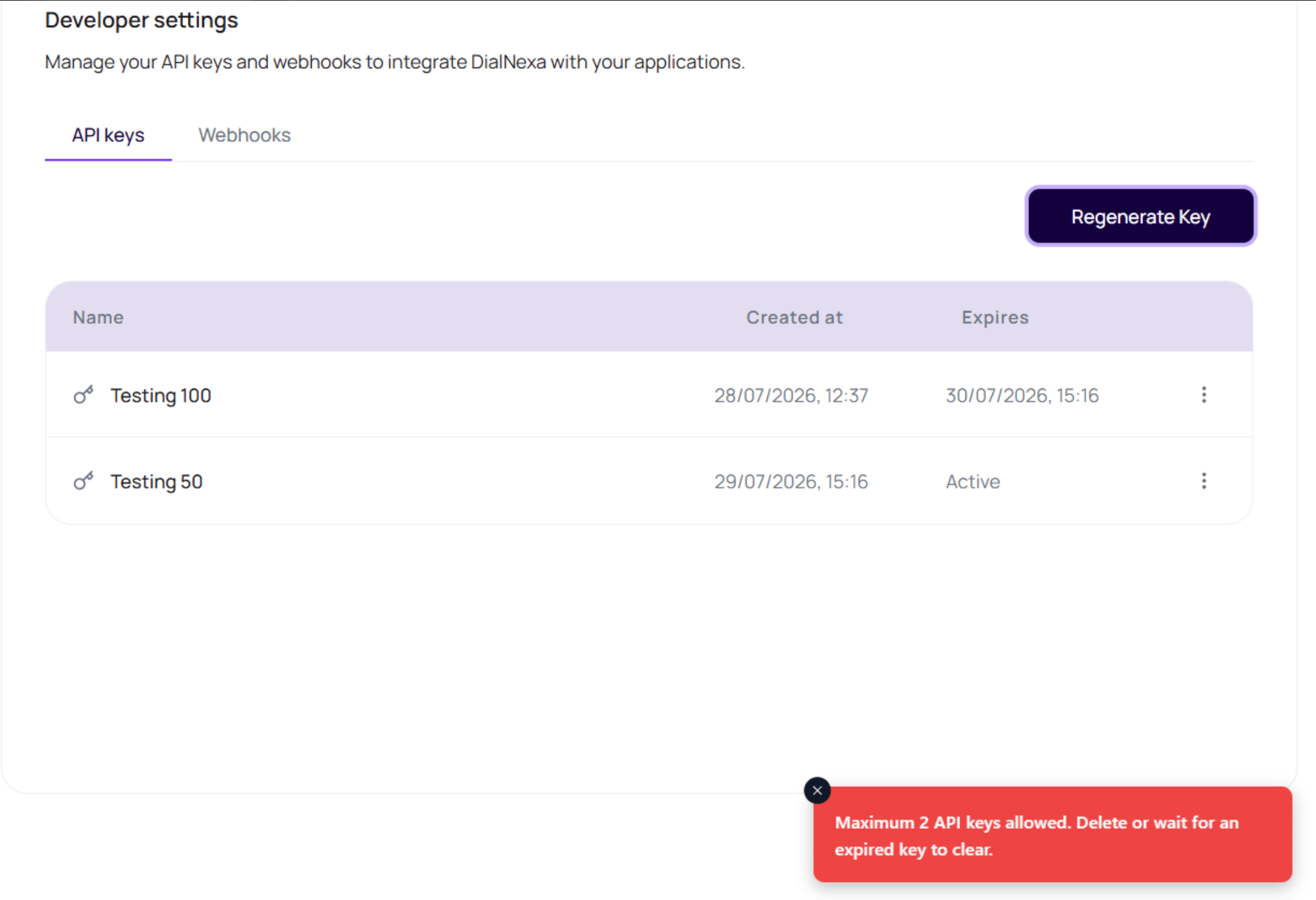
DialNexa allows up to
2 API keys in the current dashboard flow. If the workspace already has two keys, delete an unused key or wait for an expiring key to clear before creating another one.
Create A Key Safely
1
Open Keys
Use the workspace where the external system should connect.
2
Choose Add Key or Regenerate Key
Enter a name that identifies the system or environment.
3
Copy the raw key immediately
Store it in your secret manager.
4
Close the dialog only after storing
The raw key will not be shown again.
5
Rotate old keys intentionally
Use now or 24 hour expiration based on migration risk.
API Key Mistakes
Using a key from another workspace
Using a key from another workspace
Keys are organization-scoped.
Naming every key production
Naming every key production
Use system and environment names.
Closing before copying
Closing before copying
Create a new key and rotate if the raw value was lost.
Verify The API Key
Store the key in a secret manager, make one low-risk authenticated request, and confirm the expected response. Never paste the key into client-side code, screenshots, tickets, or documentation.Related Reading
Key Rotation
Rotate keys safely.
Webhook Secrets
Manage event verification secrets.
External Webhooks
Configure event receivers.