

Where Spend Context Appears
Billing signals are split between account context and call evidence.Wallet balance
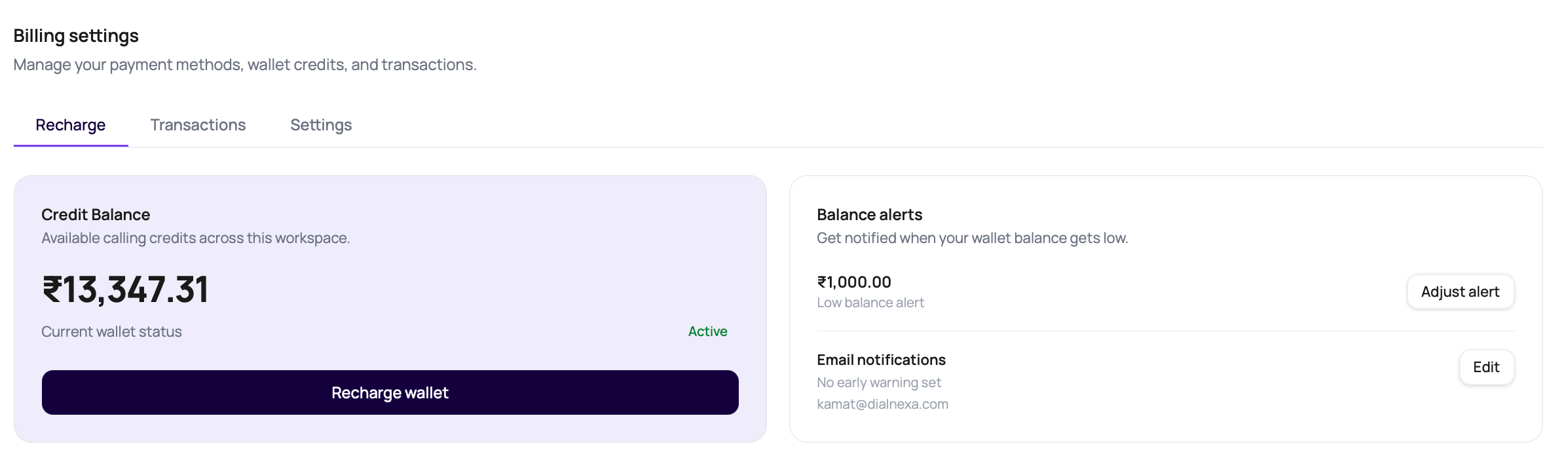
The Billing Recharge tab shows balance, wallet status, low balance alerts, and recharge access.
Transactions
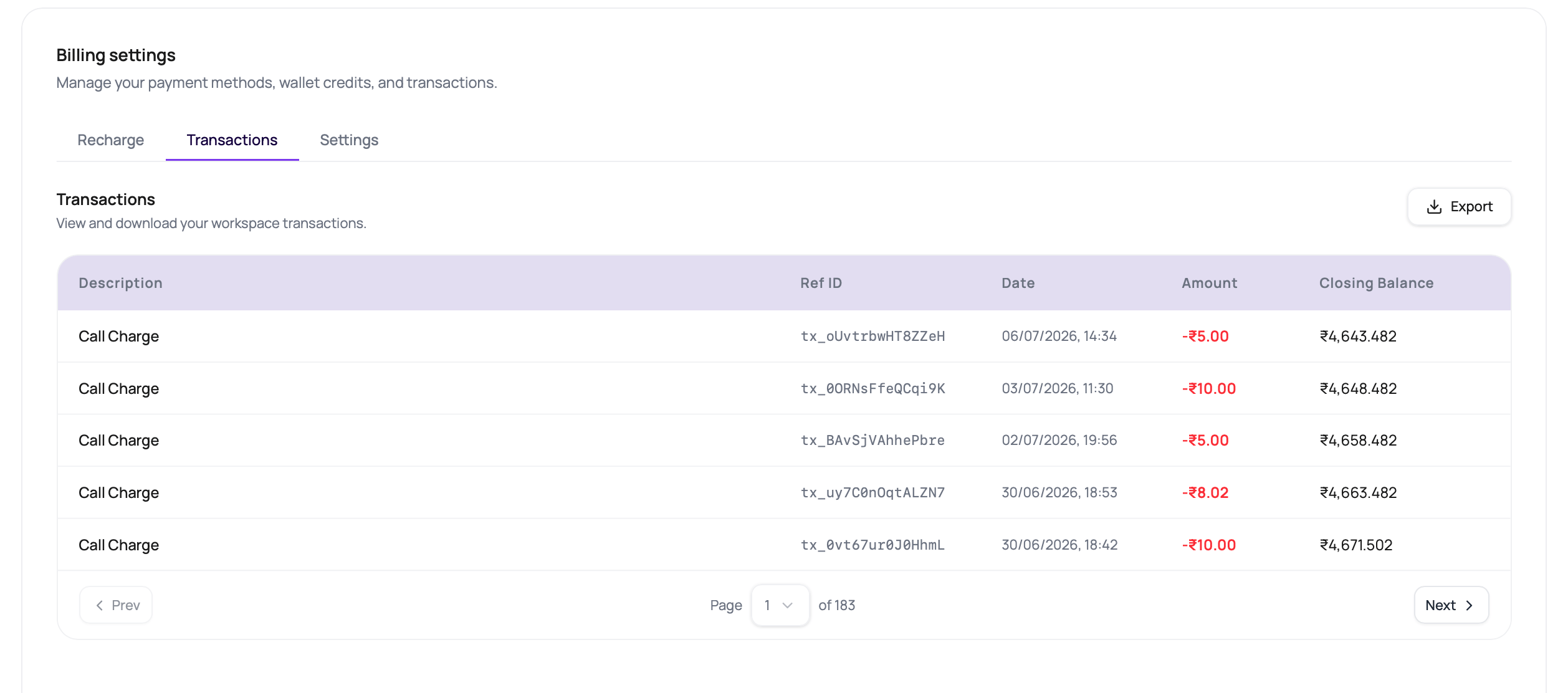
Wallet transaction history helps reconcile account activity.
Call details
Call logs can include duration, credits consumed, latency, and cost-related fields.
Phone number rentals
Phone number records can include rental dates and renewal information.
Rate previews
Agent builder selectors can show INR per-minute components for LLM, voice, and transcriber choices.
Integration actions
Cloud workflow actions can create batched integration charges.
Current Billing Wallet Behavior
For organizations on the current billing system, Workspace Settings > Billing shows the active organization’s INR balance, recharge controls, transaction history, and billing contact details.
Use the Billing Recharge tab for self-serve top-ups, or contact DialNexa support for bank-transfer credits and billing corrections.
Recharge And Billing Settings
1
Open Billing
Go to Workspace Settings > Billing and choose the Recharge, Transactions, or Settings tab.
2
Check wallet status
Confirm whether the balance is Active, Overdue, or No balance before launching outbound traffic.
3
Add credits
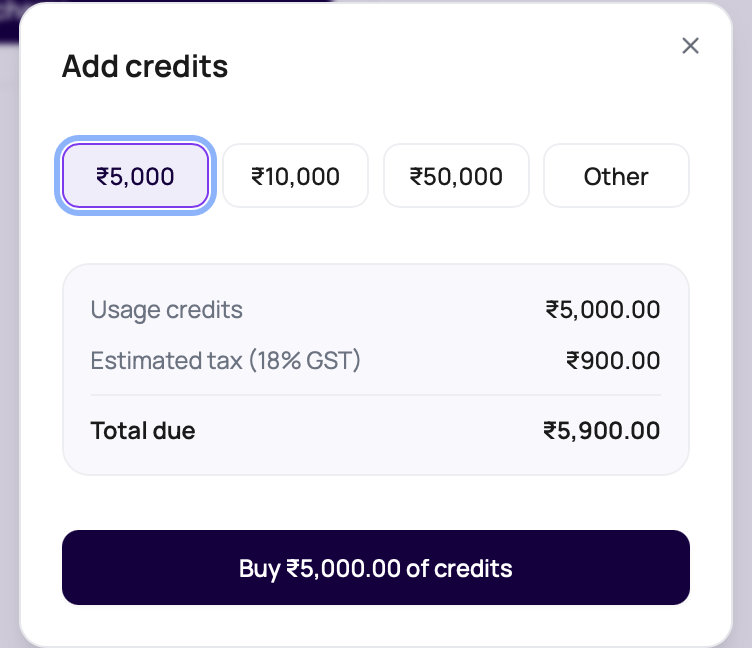
Choose a preset amount or Other, review the 18% GST estimate, and complete the INR payment through Razorpay.
4
Configure balance alerts
Set a low balance alert, optionally add an early warning threshold, and choose up to five email recipients for alert delivery.
5
Download transactions
Use the Transactions tab export when finance or operations needs an offline reconciliation file.
6
Keep billing details current
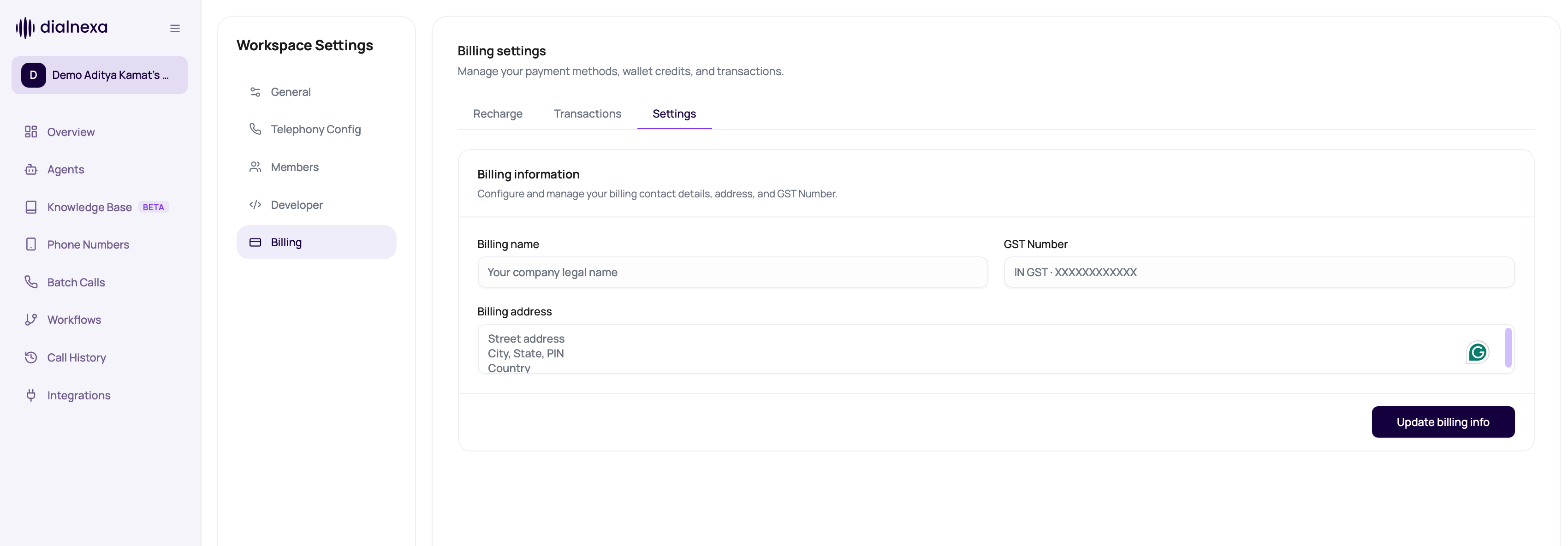
Save the legal billing name, billing address, and GST Number from the Settings tab.
Spend Planning Checks
Use these checks before campaign launch.Review Costs After Calls
1
Open Call History
Filter to the campaign, workflow, number, or date range you need.
2
Open sample calls
Inspect duration, status, credits, and recording.
3
Expand call charges
In the Transactions tab, expand call-charge rows to review telephony, LLM, fallback LLM, transcriber, fallback transcriber, synthesizer, or bridge components when line items are present.
4
Export when needed
Use exports for offline reconciliation and reporting.
5
Adjust launch settings
Tune retries, duration, and recipient list before the next run.
6
Review workflow automation
For workflows with cloud Application nodes, reconcile integration invocation counts with wallet transactions.
Related Reading
Call History
Review call spend evidence.
Exporting Call Data
Export rows for reporting.
Call Settings
Limit call duration.
Application Nodes
Understand workflow integration billing.