

What Belongs To A Workspace
Workspace context scopes most operational objects.Agents and versions
Agent lists, folders, templates, and versions are loaded for the selected organization.
Numbers and campaigns
Phone numbers, outbound assignments, batch campaigns, and call logs are workspace-specific.
Workflows and leads
Workflow lists, leads, node history, and execution status are tied to the workspace.
Keys and webhooks
API keys, webhook secrets, and external webhook endpoints belong to the organization context.
Workspace Actions Users Commonly Need
Use workspace controls when the account context, not the agent, is the issue.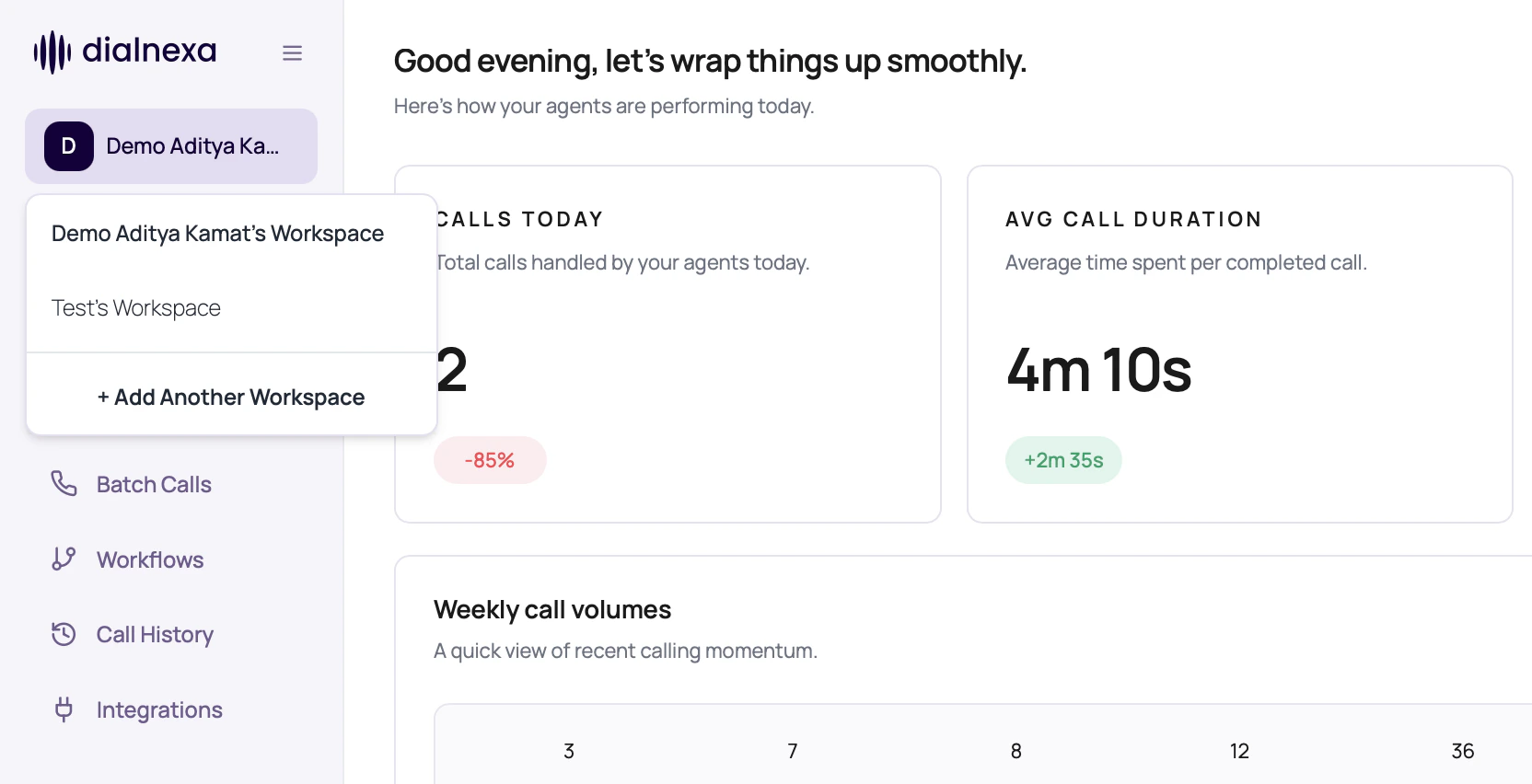
Workspace Settings Tabs
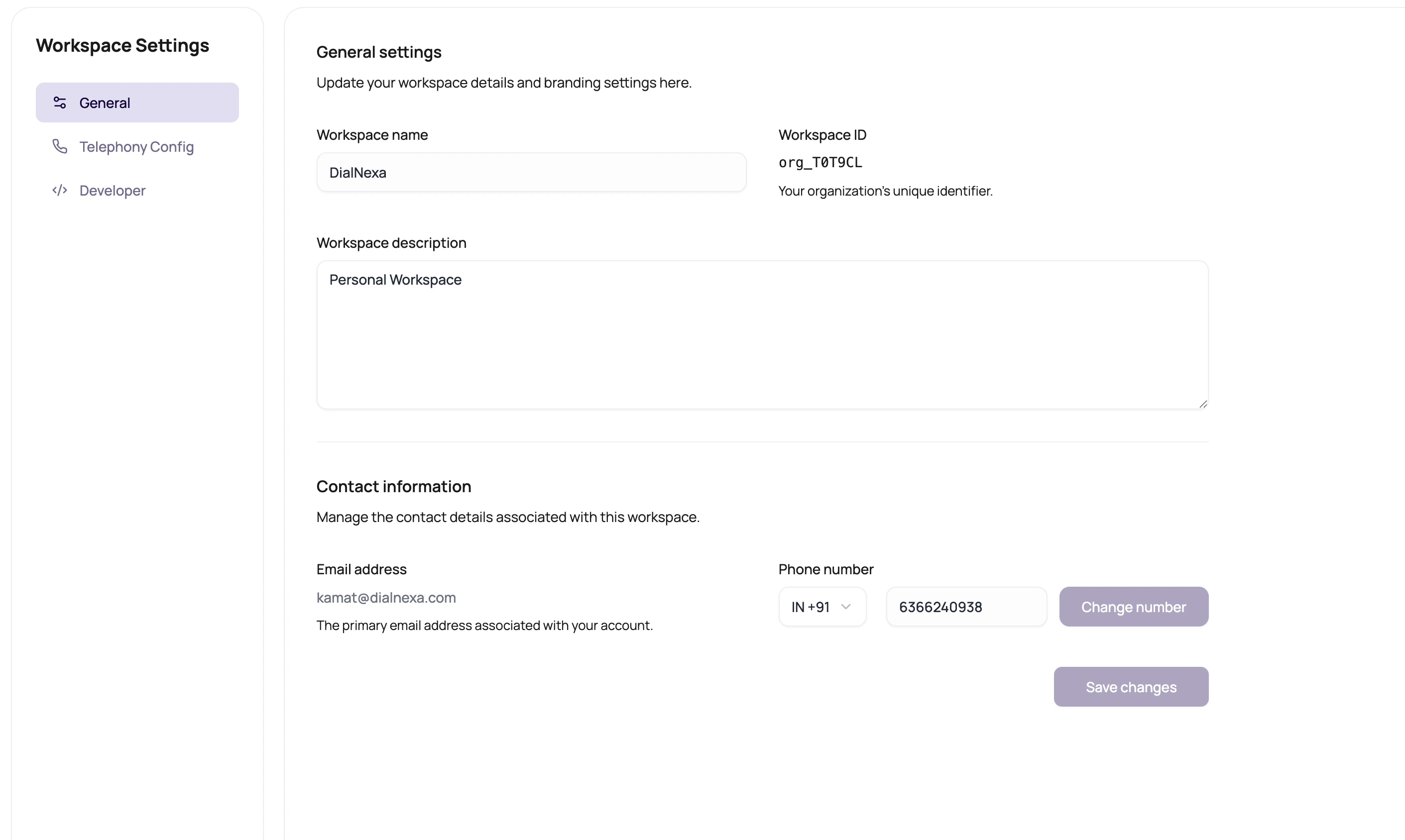
Workspace settings are split into focused tabs so account, routing, team, and developer work do not share one long page.
If you land on
/dashboard/workspace, the dashboard redirects into the tabbed settings area. Use the left settings navigation to switch between tabs without changing the active workspace.
Developer Webhook Settings
The Developer tab includes API keys and Webhooks. Use the Webhooks tab to send workspace-level webhook payloads to your own endpoint.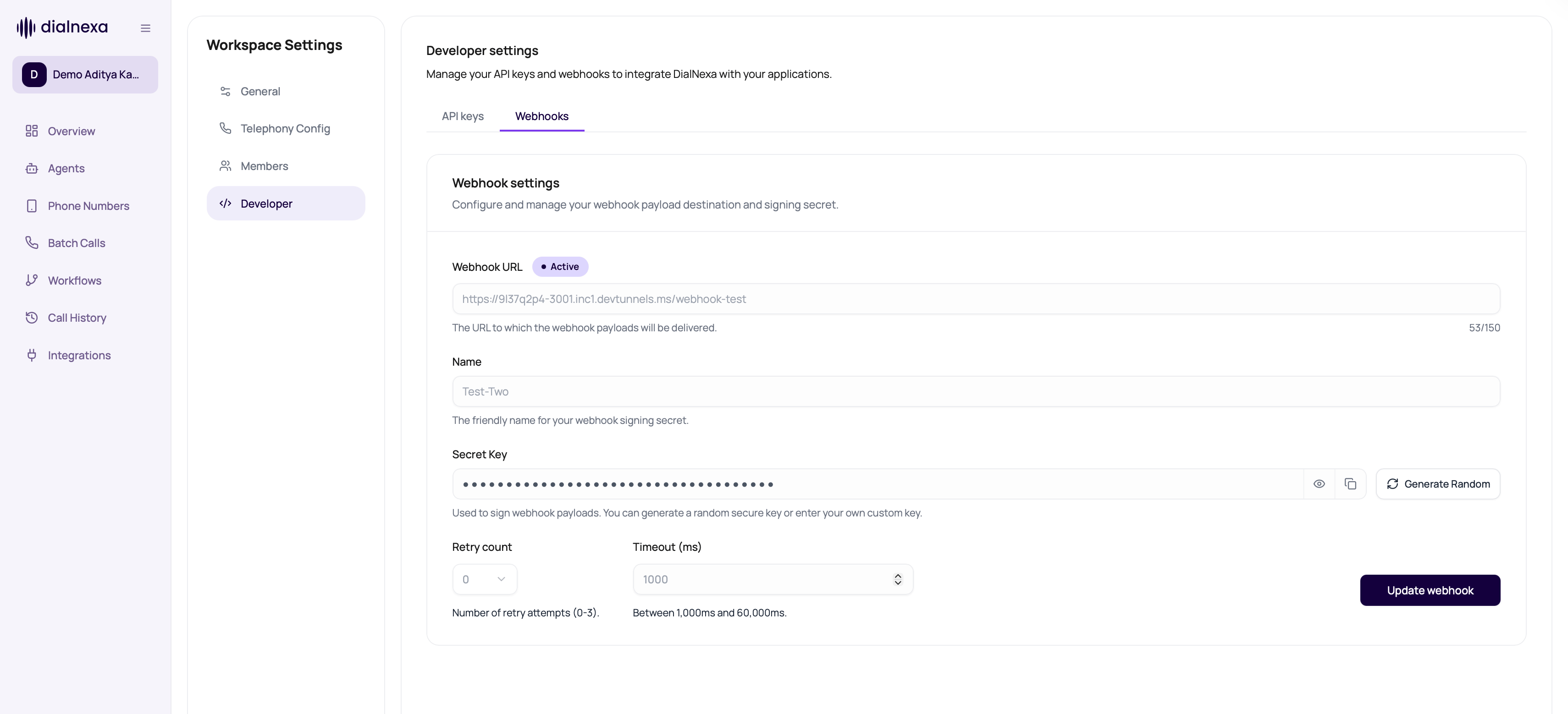
Avoid Cross-Workspace Mistakes
1
Read the workspace label
Confirm the sidebar workspace before creating agents, keys, numbers, or workflows.
2
Check the route after switching
Some pages reload data based on organization. Wait for the new workspace data before acting.
3
Name objects clearly
Use agent, batch, and workflow names that reveal workspace or campaign purpose when needed.
4
Audit in the same workspace
Call History only helps when you are in the workspace where the call was created.
Workspace Confusions
I cannot see an agent
I cannot see an agent
You may be in a different workspace, folder, or organization context.
A key does not work
A key does not work
Keys are organization scoped. Confirm the key belongs to the workspace your integration is calling.
Batch Calls are blocked
Batch Calls are blocked
Check KYC readiness for the workspace.
Call logs look empty
Call logs look empty
Confirm date range, filters, and workspace selection.
Related Reading
Navigation Reference
Understand the sidebar.
KYC And Outbound Readiness
Prepare for outbound scale.
Billing And Wallet
Review spend context.
Workspace Settings Video
Watch the workspace settings walkthrough.