

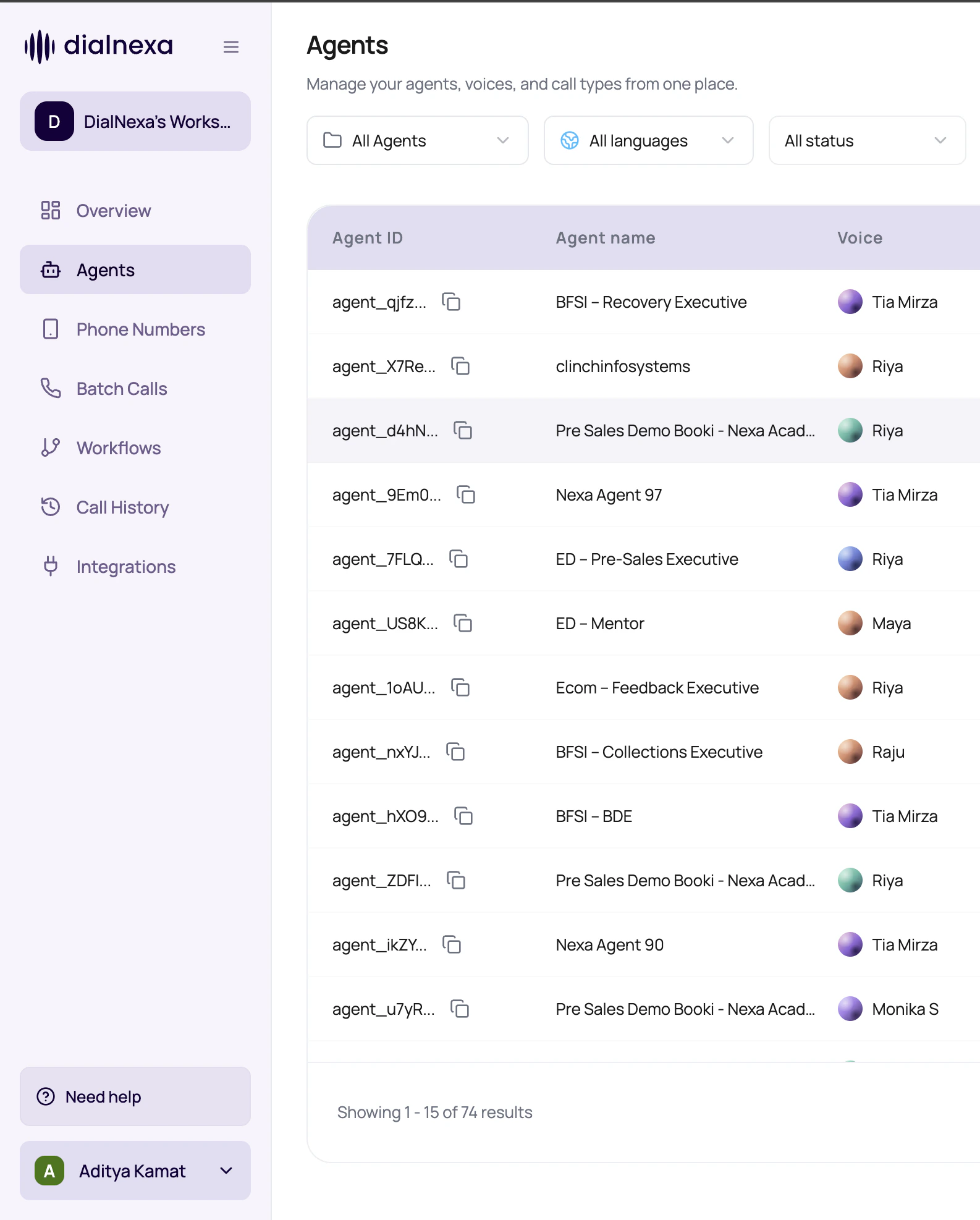
Start with the area that owns the object you need to change. Use Call History to verify the result after a test or live call.
DialNexa Dashboard Platform Map By Tab
Use this as the first routing table for the dashboard.Agents
Create, import, organize, edit, test, publish, duplicate, export, move, and delete Voice AI agents.
Phone Numbers
Buy or link numbers, assign inbound and outbound agent versions, manage SIP trunks, and place single outbound calls.
Batch Calls
Upload recipient CSVs, choose an outbound number, set schedule and retries, save drafts, and start campaigns.
Workflows
Build node-based automation with voice calls, conditions, wait times, application actions, leads, and lead history.
Integrations
Connect available providers, validate connections, inspect actions, and request new integration coverage when enabled.
Call History
Filter calls, open details, play recordings, read transcripts, review extracted fields, inspect transfers, and export data.
Keys
Create API keys, rotate access, create webhook secrets, and copy credentials that are shown once.
Webhooks
Configure the workspace HTTPS endpoint that receives call events, retries, and delivery results.
Sidebar Behaviors Worth Knowing
The left navigation changes state based on workspace context and account readiness.Move Through The Platform Without Losing Context
1
Start with the owner tab
Open the tab that owns the object you need to change: agent, number, campaign, workflow, integration, key, or webhook.
2
Publish before routing
For agent behavior, publish the version before assigning it to numbers, batch campaigns, or workflows.
3
Launch from the execution surface
Start one call, a batch, or a workflow from the page designed for that launch mode.
4
Confirm in Call History
Use Call History as the common proof layer after any live or test action.
Navigation Confusions To Avoid
Webhooks versus agent webhooks
Webhooks versus agent webhooks
Use Webhooks for the workspace event endpoint. Use Agent Webhooks from agent settings when you only need to enable or disable webhook events for that agent.
Phone number assignment versus test call
Phone number assignment versus test call
A test call can prove the agent talks. Phone number assignment proves the right published version is routed for live inbound or outbound traffic.
Workflow status versus call status
Workflow status versus call status
Workflow status describes the automation. Call status describes one call inside that automation.
Integration connection versus integration action
Integration connection versus integration action
Connection stores credentials. Actions are the actual things an agent function or workflow application node can perform.
Related Reading
Dashboard Overview
Understand overview behavior.
Navigation Reference
Read the navigation details.
Phone Numbers
Route live traffic correctly.
Call History
Audit what happened.