

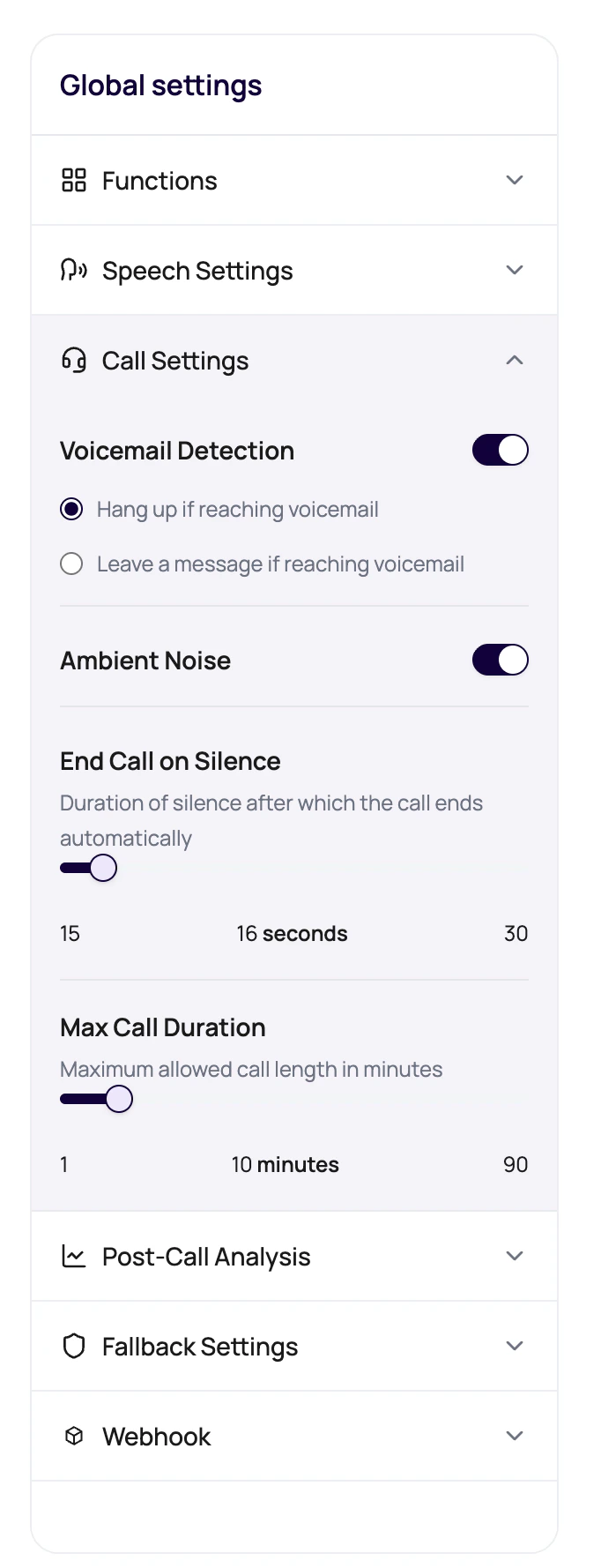
Voicemail Options
Voicemail behavior is configured per agent version.| Option | Behavior |
|---|---|
| Voicemail Detection | Turns voicemail handling on or off. |
| Hang up if reaching voicemail | Ends the call when voicemail is detected. |
| Leave a message if reaching voicemail | Speaks the configured voicemail message instead of hanging up. |
| Voicemail message | Text the agent should leave. It can include placeholders such as {{first_name}}. |
Keypad Input Context
DialNexa call data includes keypad-related fields such as keypad timeout, termination key, and digit limit where keypad input is enabled for a use case. If your workspace uses keypad capture, review the expected timeout, accepted termination key, and number of digits with your implementation team before publishing.Prepare Voicemail For A Campaign
Decide whether voicemail is useful
For some reminders, leaving a short message is useful. For other use cases, hanging up is cleaner.
Keep the message short
Voicemail should identify the reason for the call without sounding like a full script.
Voicemail Problems
Message says a placeholder
Message says a placeholder
Add or fix the default dynamic variable.
Voicemail gets long
Voicemail gets long
Move details into follow-up channels and keep voicemail concise.
Wrong behavior for campaigns
Wrong behavior for campaigns
Check hangup versus leave-message selection before batch launch.
Related Reading
Call Settings
Configure voicemail behavior.
Dynamic Variables
Use safe placeholders.
Batch Calls
Plan campaign behavior.