

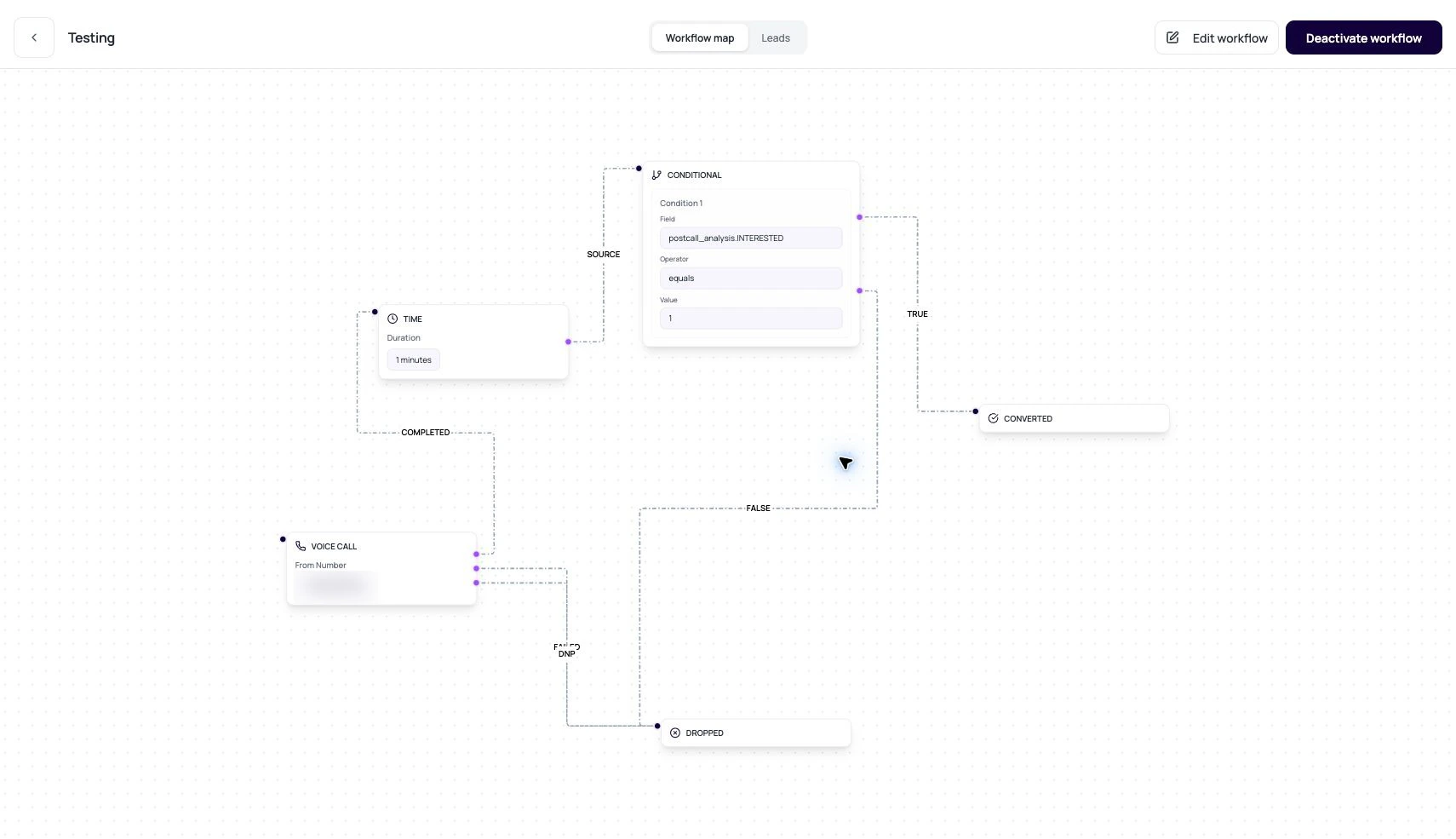
The canvas is the drawing. The config is the contract. Review both.
DialNexa Workflow Builder Concepts And Data Model
These fields explain what the builder stores.Outputs Are The Important Part
Outputs decide where a lead moves next.Voice Call outputs
COMPLETED, FAILED, and DNP route different call outcomes.
Condition outputs
true and false route evaluated conditions.
Time output
A wait node has one next path after the hold expires.
Application outputs
success and failure route integration action results.
Review A Builder Graph
1
Scan terminal states
Every path should be able to end in converted, dropped, or another intentional final path.
2
Check node configs
Open each node and read settings, not just labels.
3
Check edges by label
A completed call should not route to the failed path by accident.
4
Validate before activation
Use workflow validation and small lead samples before activating.
Related Reading
Call Nodes
Configure call outputs.
Condition Nodes
Configure branch logic.
Application Nodes
Run connected actions.