

Before You Begin
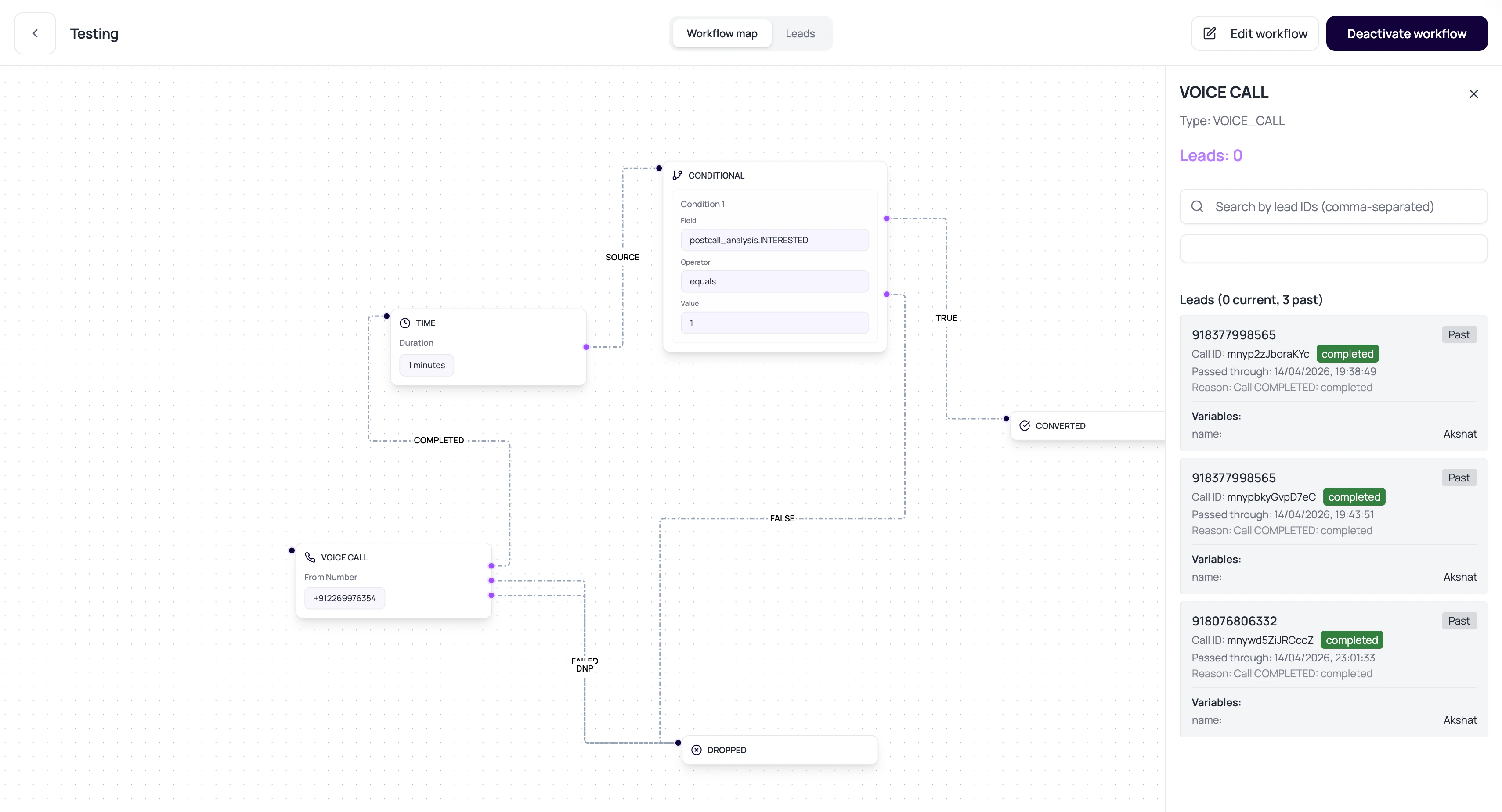
Publish and test the selected outbound agent, assign a valid call route, and prepare lead phone numbers plus fallback values for every prompt or action variable.Voice Call Node Config
These fields decide how the call runs and where the lead goes afterward.phone_number_id is the stored form of the Phone number dropdown in the builder; the outputs are the edges you connect on the canvas.
Voice Call Status Routing
The Voice Call node waits for the linked call log to reach a final status before routing the lead.Prepare A Call Node
1
Choose an active number
The phone number must exist, be active, and not deleted.
2
Confirm outbound assignment
The number needs outbound agent id and outbound version number.
3
Wire all relevant outputs
Route completed, failed, and did-not-pick outcomes intentionally.
4
Test with one lead
Open lead history and the linked call detail after execution.
Call Node Failure Reasons
Phone number not active
Phone number not active
Use an active number in the selected workspace.
No outbound agent configured
No outbound agent configured
Configure a valid outbound agent version for the selected phone number before activating the workflow.
Output missing
Output missing
If the node has no configured output for a final call status, the lead can get stuck.
Call already active
Call already active
Workflow execution avoids restarting a pending or active call for the same lead-node combination.
Verify The Voice Call Node
Run test leads through completed, did-not-pick, and failed outcomes. Confirm each result follows the intended output and that Lead History links to the correct call log.Related Reading
Phone Numbers
Review active numbers and outbound routing context.
Lead History
Open the linked call.
Statuses
Understand call outcomes.