

Use DateTime post-call analysis fields when the caller chooses the follow-up time during the call.
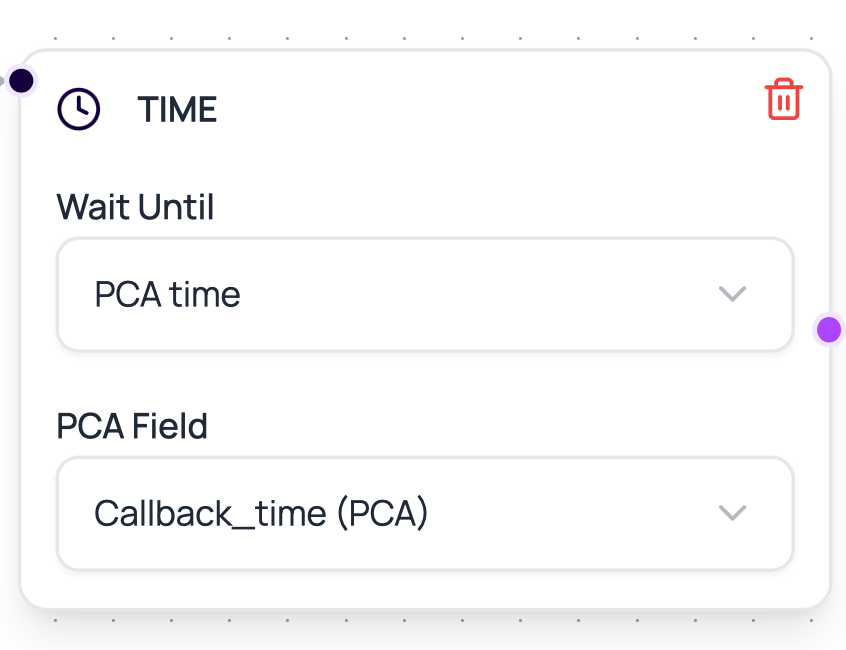
Time Node Config
Time nodes support two timing sources.Post-Call Analysis Time Fields
Whentime_source is postcall_analysis, the Time node reads pca_field or postcall_analysis_field from the most recent call log for the workflow lead. In the builder, the PCA field selector lists DateTime fields from the governing Voice Call node’s current outbound agent. Field names can be written as the raw field name or with a postcall_analysis. prefix in stored config.
DialNexa schedules PCA times in the most specific timezone it can determine. It first checks timezone data stored with the call, then the agent timezone, then the phone number country timezone. If none of those are available, it falls back to the server’s current timezone.
The parser accepts common spoken time formats:
If the field is empty or cannot be parsed, the workflow throws a configuration error for that Time node. Test this path with real post-call analysis output before using it for production follow-ups.
Workflow activation also validates PCA references. If the phone number assigned to an upstream Voice Call node now points at a different outbound agent, DialNexa warns about the agent change. If a Time node points at a PCA field that no longer exists for the current agent, activation is blocked until you edit the node and pick a valid field.
When To Use Time Nodes
Waiting is useful when timing changes outcomes.Retry spacing
Wait before a second call attempt in a custom workflow.
Follow-up sequence
Send a message or call later after a completed conversation.
Caller-selected callback
Use a post-call analysis field such as
callback_time to wait until the next requested callback time.Business-hour routing
Design waits that align with team availability.
Time Node Mistakes
No output configured
No output configured
The lead has nowhere to go after waiting.
Wait is too short
Wait is too short
A follow-up may feel like duplicate contact.
Wait is too long
Wait is too long
The lead may forget the previous conversation.
Workflow paused
Workflow paused
Paused workflows affect active lead execution. Check workflow status.
Related Reading
Workflow Statuses
Understand pause and resume.
Lead History
See when a lead entered and exited nodes.
Application Nodes
Follow waits with messages or actions.