

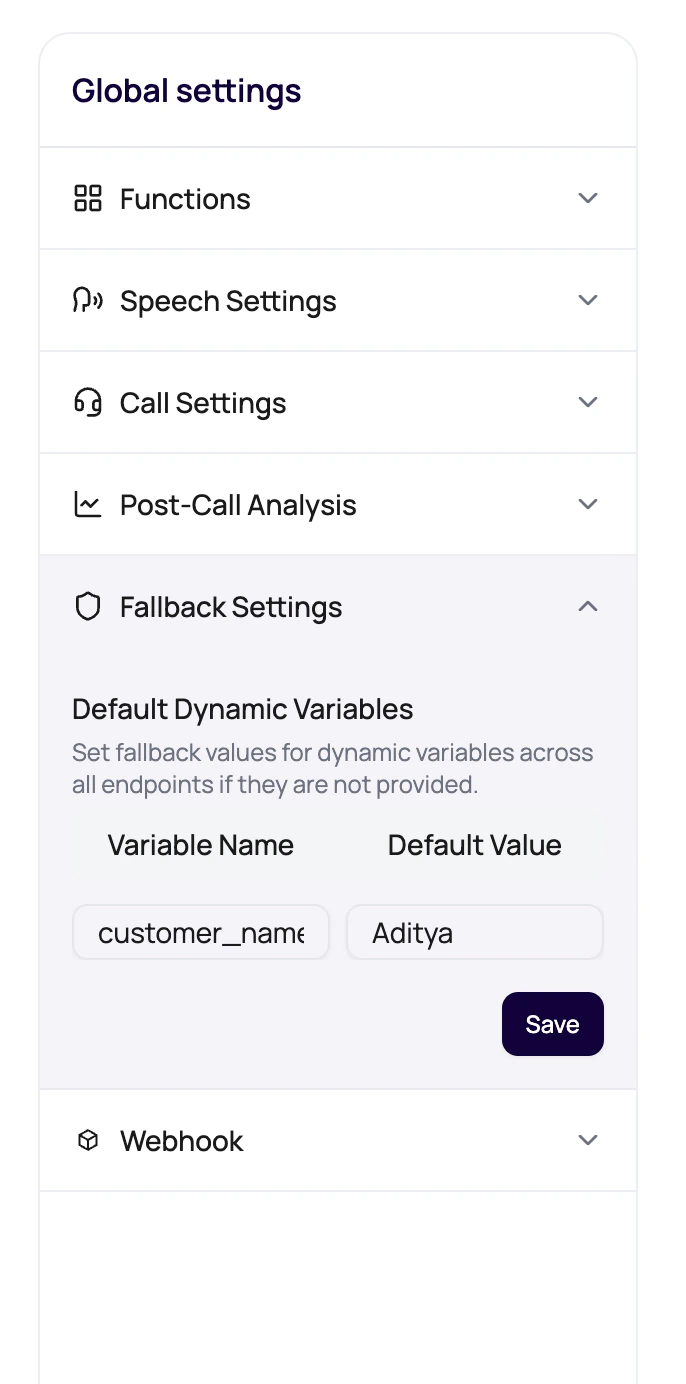
What The Panel Does
The builder detects placeholders such as{{first_name}} in prompt-related text and lists them as default dynamic variables. Users can enter fallback values, save them to the agent version, and use those values when the launch surface does not provide a replacement.
Default Variable Sources
Fallback settings protect multiple launch paths.| Variable appears in | Why fallback matters |
|---|---|
| Prompt text | Prevents awkward missing personalization during the main conversation. |
| Welcome message | Protects the first spoken sentence. |
| Voicemail message | Prevents voicemail from containing unresolved placeholders. |
| Call transfer path | Transfer destinations may require a formatted default value. |
| Batch or workflow launch | Protects against incomplete CSV rows or lead variables. |
Transfer Destination Defaults
Transfer settings deserve extra validation.Pipe-separated numbers
Use a format such as
+1234567890|+1098765432 when a transfer variable expects multiple destinations.Representative routing
Check that each destination belongs to the intended handoff team.
Published version behavior
Fallback changes must be on the version that traffic actually uses.
Call History proof
Review transfer results after testing.
Fallback Mistakes
Leaving an empty value
Leaving an empty value
The dashboard can block saving when detected variables have empty defaults.
Using sample data in production
Using sample data in production
Replace examples with safe generic fallback values.
Assuming CSV overrides always exist
Assuming CSV overrides always exist
Bad recipient files happen. Defaults are insurance.
Forgetting voicemail variables
Forgetting voicemail variables
The voicemail message is scanned too. Add defaults for those placeholders.
Related Reading
Dynamic Variables
Understand placeholders.
Default Variables
See the data concept.
Call Transfer
Configure transfer destinations.