

Before You Begin
Define the exact caller request that should trigger the function, required inputs, expected response, timeout behavior, and what the agent should say when the action fails.Function Types In The Builder
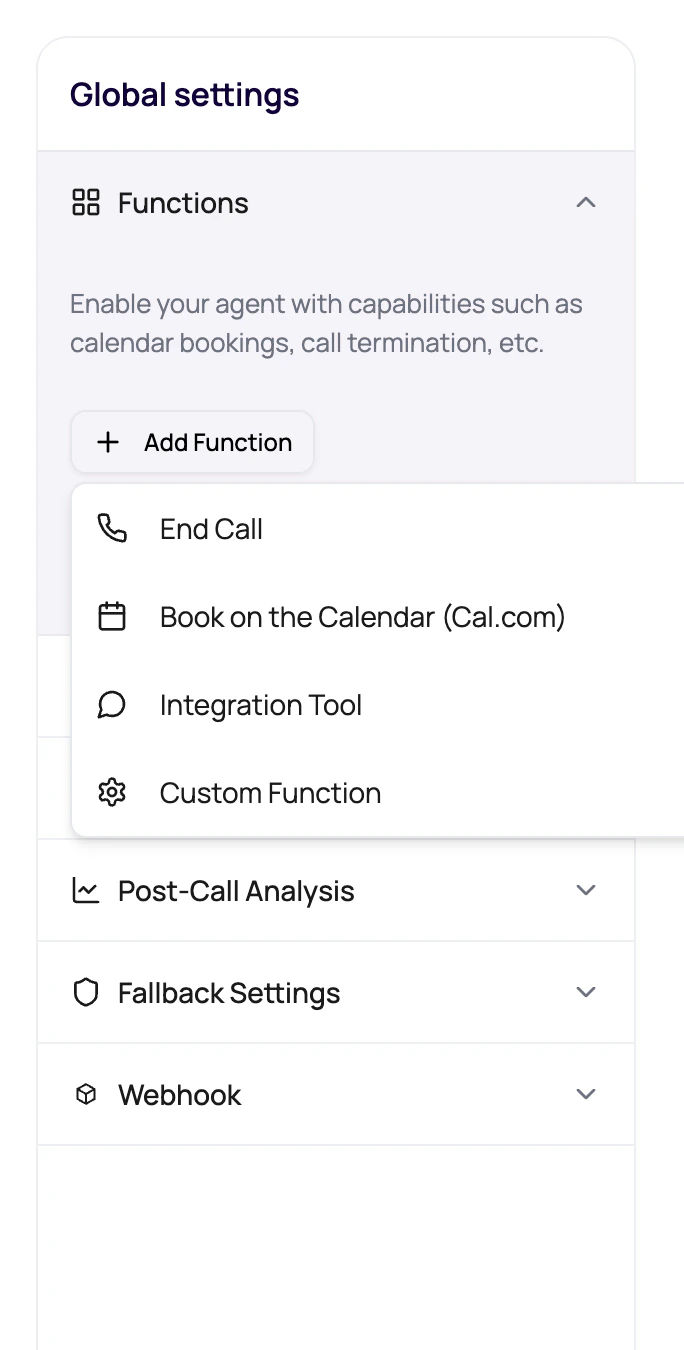
The visible function menu includes production actions users can configure.
If the action is a dashboard-managed provider such as WhatsApp or email, also read using integrations in agents. If the action should run after a workflow branch rather than during the live call, use workflow Application nodes.
Function Descriptions Matter
The model relies on descriptions to decide when to call a function.Name for the model
Use a short function display name that describes the action.
When to call it
Write a description that tells the agent the exact moment the tool is appropriate.
What data is needed
Use dynamic variables or schema fields for required arguments.
What to say while waiting
Custom functions can use a holding message when the API takes time.
Add A Function Safely
1
Choose the action
Pick built-in function or custom function based on the job.
2
Write a precise description
Tell the model when to use it and what outcome it creates.
3
Configure required inputs
Add credentials, endpoint fields, event type, timezone, or API schema as needed.
4
Test the call path
Ask the caller something that should trigger the function and confirm the result.
5
Review the call log
Check transcript and function-related evidence after the call.
Function Mistakes
Same name collision
Same name collision
The dashboard rejects duplicate function names. Use clear unique names.
Vague description
Vague description
The model may call the tool too early, too late, or never.
Slow external API
Slow external API
A working API can still create awkward silence. Use timeout and holding messages wisely.
Function left on a published version
Function left on a published version
Check version state before assuming an edit changed live behavior.
Verify The Function
Test a successful call, missing input, provider rejection, and timeout. Confirm the agent explains the result correctly and the call or invocation evidence contains enough detail to diagnose failures.Related Reading
Custom Functions
Configure external API calls.
Post-Call Analysis
Extract results after tools run.
Testing Agents
Trigger tools in realistic calls.
Using Integrations In Agents
Connect provider actions when the agent needs a managed integration.