

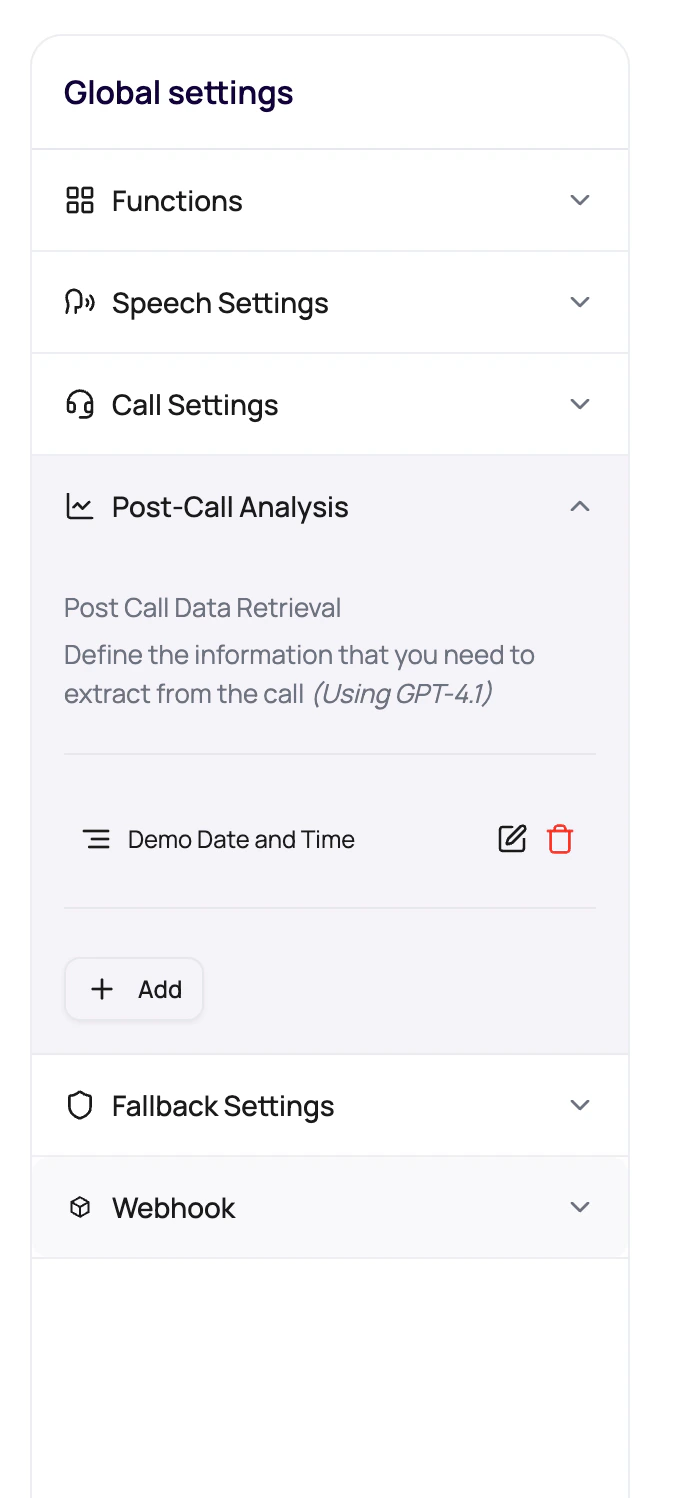
Before You Begin
Define the business decision each field supports, its output type, allowed values, and the transcript evidence needed to answer it. Avoid fields that are merely interesting but never used.Supported Field Types
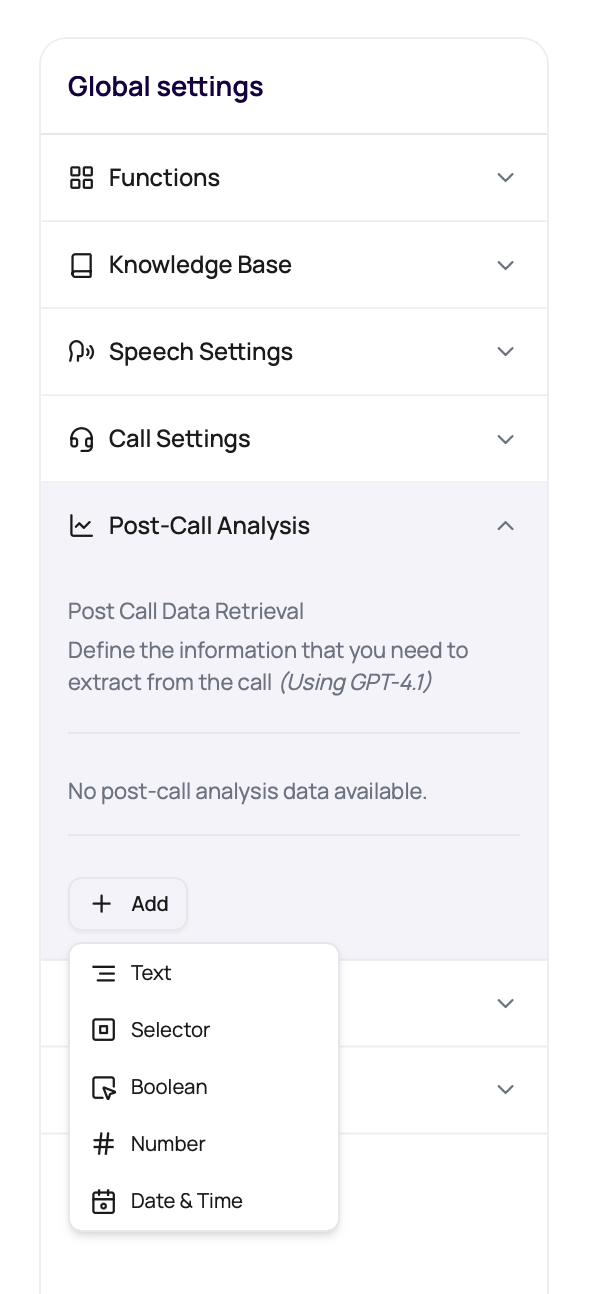
Choose the type that matches the value you need.
Use DateTime when another system or a workflow needs a schedulable time. In the field description, ask for the value in UTC ISO 8601 format so the extracted result can be parsed consistently.
Where Results Appear
Post-call fields become operational data after the call.Call detail custom section
Custom extracted values appear on the call detail page.
CSV exports
Exports can include extracted fields for reporting.
Workflow decisions
Workflow paths can reason about call attributes when configured.
QA review
Annotations and transcript review can explain why a field was wrong.
Post-Call Extraction LLM
The Post Call Analysis panel includes a model settings control for the LLM used by post-call extraction. This is separate from the live conversation model so teams can tune completed-call extraction without changing how the agent speaks during the call.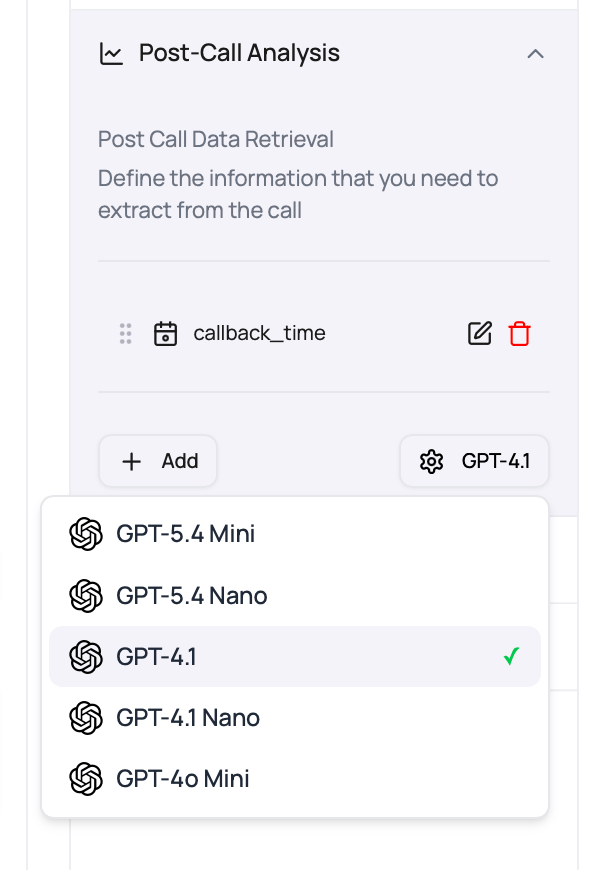
Use a stronger extraction model when the transcript is long, the fields depend on reasoning across multiple turns, or selector values need careful evidence. Keep the live model and post-call extraction model aligned only when you want both tasks to share the same cost and behavior profile.
Write Strong Extraction Fields
1
Name the field like a column
Use names that will make sense in exports.
2
Describe the evidence
Tell the extractor exactly what part of the conversation proves the value.
3
Use selector options for finite outcomes
Do not ask for free text when operations needs a clean report.
4
Use DateTime for schedulable callbacks
Ask for UTC ISO 8601 output when the caller gives a callback time, appointment time, or other follow-up date.
5
Test on real calls
Check whether the transcript contains the evidence needed to extract the field.
Extraction Problems
Field is empty
Field is empty
The transcript may not contain the fact, or the description may be too vague.
Selector returns unexpected value
Selector returns unexpected value
Use clearer allowed options and descriptions.
Boolean feels inconsistent
Boolean feels inconsistent
Define what counts as true and false.
Callback time cannot schedule a workflow
Callback time cannot schedule a workflow
Use the DateTime field type and describe the expected UTC ISO 8601 output. Workflow Time nodes should point at a DateTime PCA field.
Editing is disabled
Editing is disabled
Published versions protect live settings. Edit a draft version.
Verify Post-Call Analysis
Run calls that should produce different results, including an unknown or missing answer. Confirm the Call Detail page and exports show the correct type and value without inventing information.Related Reading
Post-Call Analysis Results
Review extracted fields.
Exporting Call Data
Export analysis columns.
Call Detail Page
Inspect one call.
Text Analysis Video
Watch how to configure a text result.
Selector And Boolean Video
Watch how to configure constrained results.
Number And Date-Time Video
Watch how to configure typed numeric and date-time results.