

Mixed-language callers do not wait for your architecture diagram. They switch languages because that is how they speak. The agent should keep up.
DialNexa Multilingual And Hinglish Call Stack
Language Selection Details
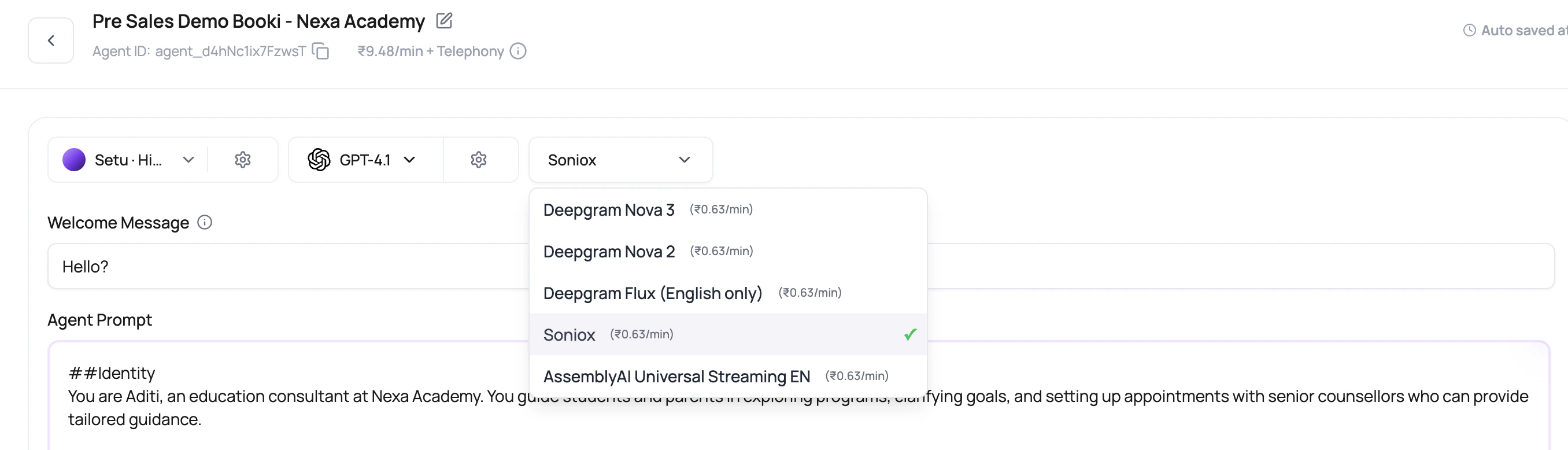
The dashboard sorts English first, Hindi second, Indian languages next, and then other languages alphabetically. That ordering keeps common India-focused Voice AI setups close to the top without hiding other supported languages.Soniox Versus Deepgram For Multilingual Calls
For Hindi-English agents, DialNexa sends Soniox the valid language hints
en and hi. It does not send combined hint codes such as hi-en. For supported single-language Soniox calls, DialNexa sends the selected language code as a strict hint. For broad or unsupported language choices, it avoids strict hints instead of passing an invalid code.
Deepgram Flux multilingual uses repeated language hints rather than one combined language value. When the selected language is Hindi-English, DialNexa derives hi and en hints. When a language is unsupported or intentionally broad, Flux can run without strict hints and let the provider auto-detect among supported languages.
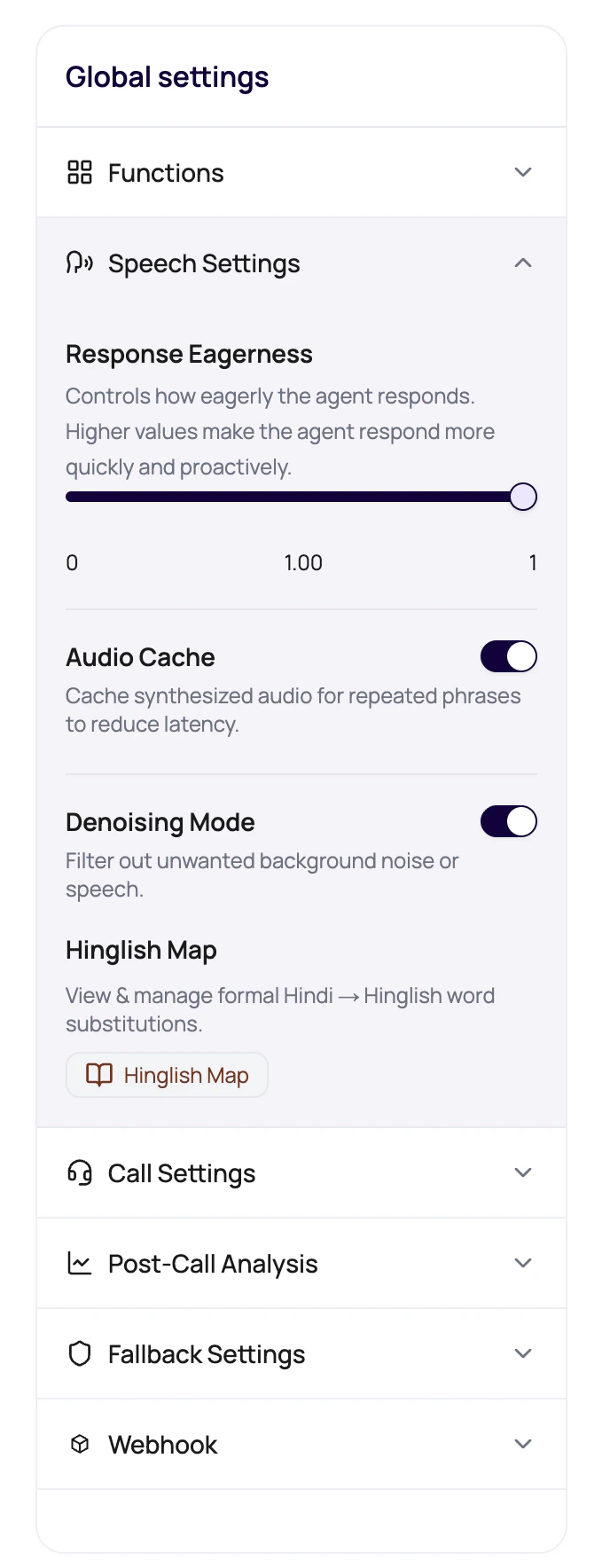
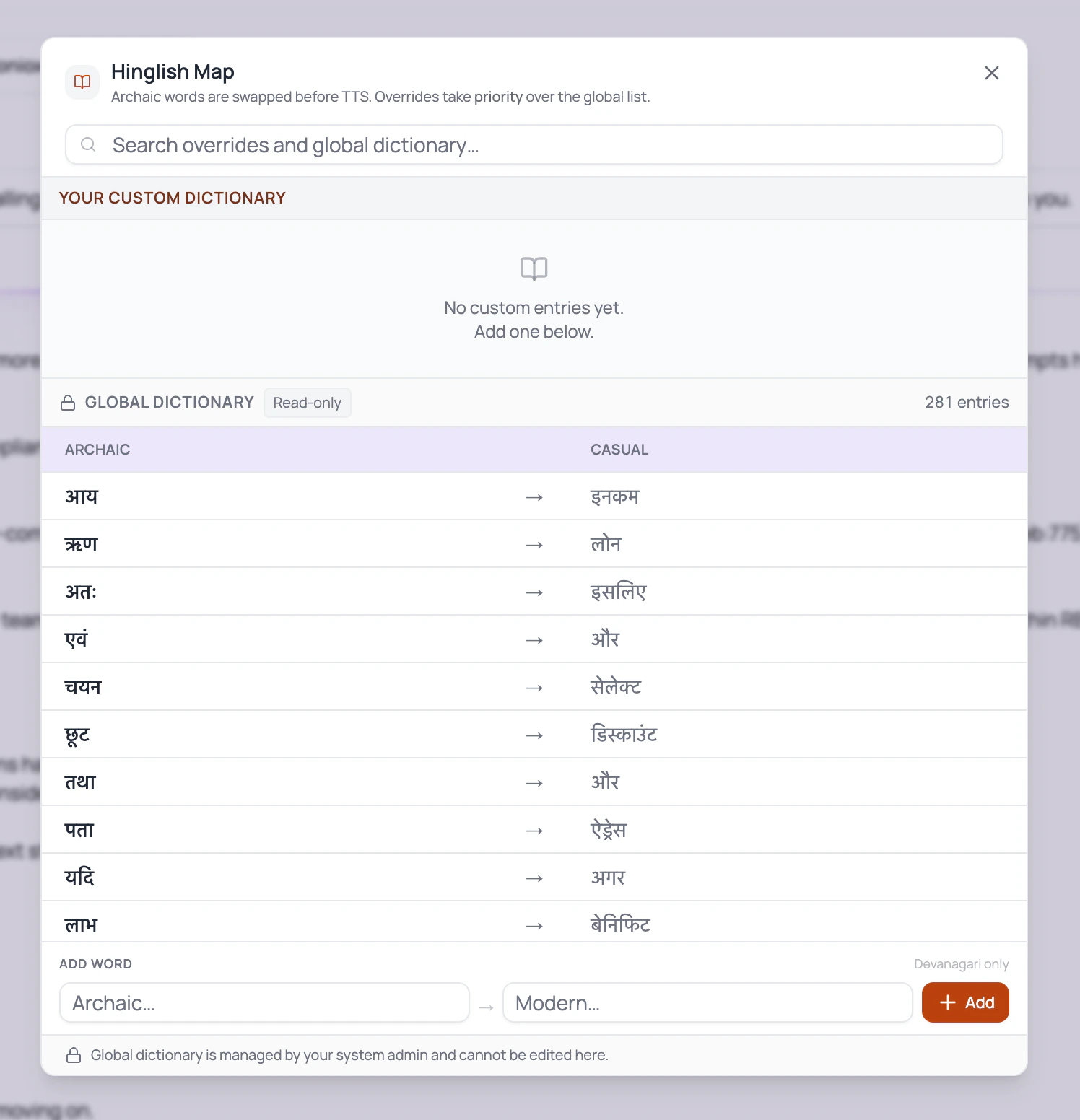
Hinglish Map
Hinglish Map is for phrasing, not translation of the whole agent. Use it to replace formal Hindi terms with natural mixed-language words that your callers actually use. When Hinglish Map entries are configured, the runtime tracks the caller’s current language style on each turn. It can identify English, Devanagari Hindi, Romanized Hindi, and mixed Hinglish, then adds a language instruction before the LLM responds. After the LLM responds, DialNexa can soften formal Hindi terms with the built-in casual Hindi map plus your workspace entries before audio is synthesized.Language tracking helps the agent choose the response style. It does not change the selected TTS voice. Use a voice that can speak the language and script you expect callers to use.
Write Prompts For Mixed Language
1
Name the expected language behavior
Tell the agent whether it should start in Hinglish, mirror the caller, or stay mostly English with Hindi support.
2
Include sample caller phrases
Add phrases that callers actually say, including short replies, local terms, city names, and English product words.
3
Include sample agent replies
Show the tone you want. One good example can prevent twenty awkward formal sentences.
4
Protect important terms
Keep legal, medical, financial, or compliance terms precise. Natural language is good. Sloppy meaning is not.
Review Checklist
Common Multilingual Mistakes
Prompt is English only
Prompt is English only
The model may answer in English even when the caller expects Hinglish. Add explicit language instructions and examples.
Voice sounds formal
Voice sounds formal
Use Hinglish Map and test another voice or model. The selected speaker matters as much as the text.
Variables are not language-aware
Variables are not language-aware
A city, plan, date, or payment amount injected through variables may need wording around it so it sounds natural.
Post-call fields depend on translated wording
Post-call fields depend on translated wording
Field descriptions should describe the business meaning, not the exact language used during the call.
Related Reading
Supported Transcribers
Compare Soniox and Deepgram options.
Speech Settings
Use Hinglish Map and Response Eagerness.
Text To Speech
Choose a voice that fits mixed-language calls.
Transcripts And Recordings
Audit mixed-language evidence.