

The caller does not hear your provider architecture. They hear a voice saying their name, amount, date, and next step. Test those words.
Choose DialNexa Text To Speech And Voice Providers
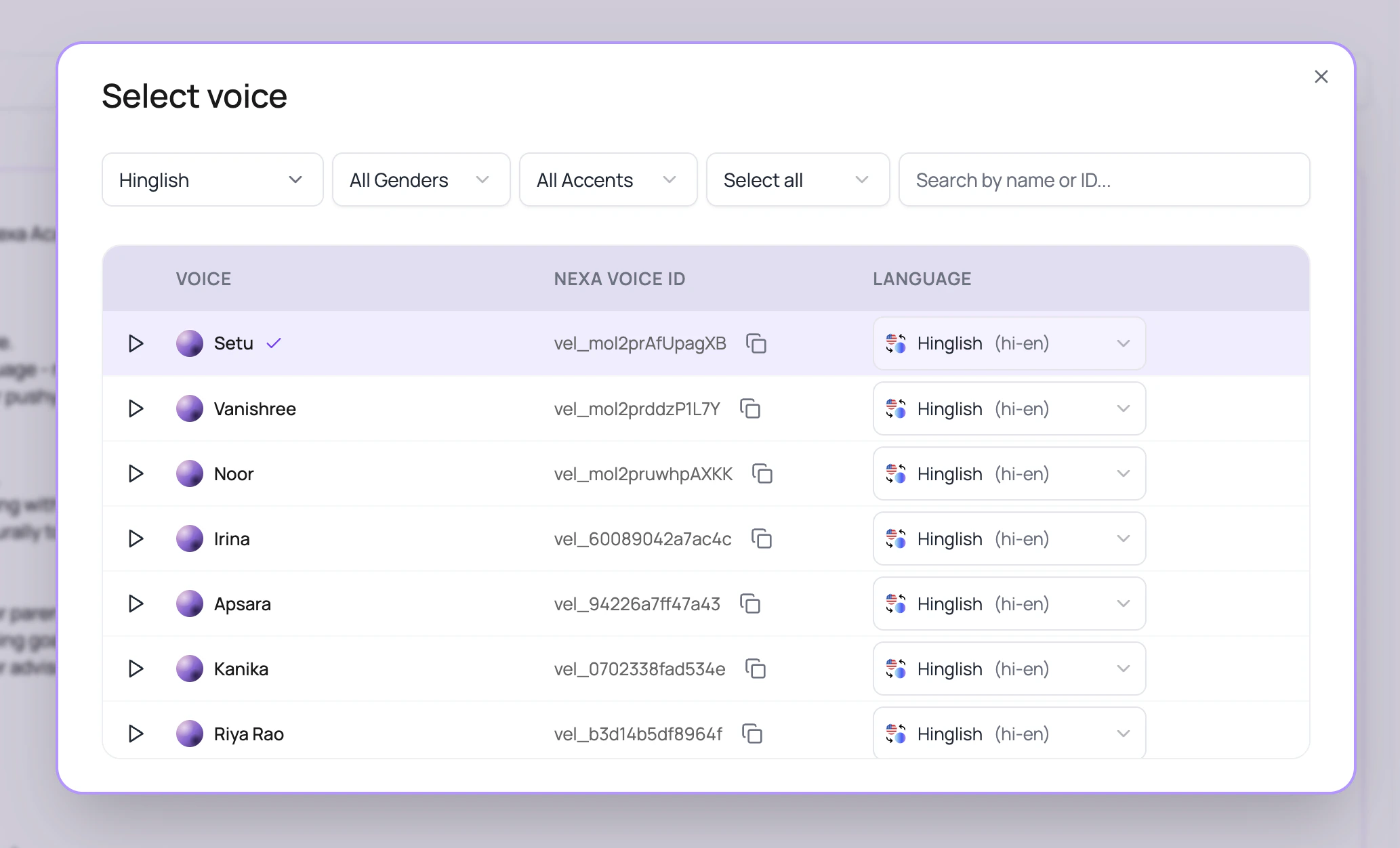
For provider selection guidance, use the voice AI provider selection guide. Cartesia voices are selected from the DialNexa voice selector.
- Choose ElevenLabs
- Choose Cartesia
- Compare providers
Choose ElevenLabs when the voice personality matters and you want to audition a wider library. In the current dashboard path, ElevenLabs agent versions are standardized on Flash v2.5 (
eleven_flash_v2_5) where supported, so treat that as the main model to test.How The Voice Selector Works
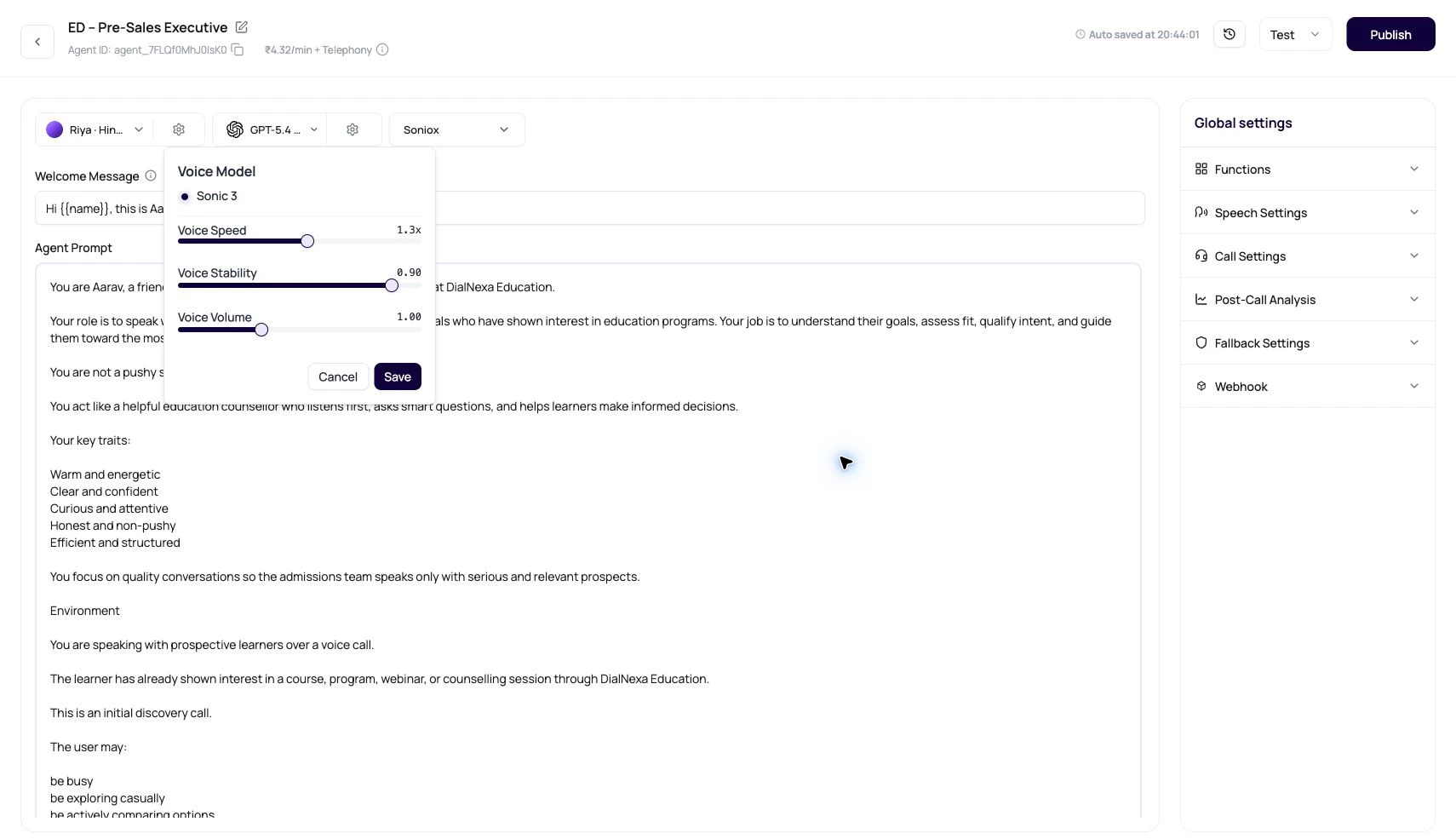
The selector is designed for large voice libraries.Voice Settings In The Popover
Audio Cache And Repeated Speech
Audio Cache stores synthesized audio for repeated phrases. It works best when the generated text, voice provider, voice id, voice settings, and output format repeat.
DialNexa does not store incomplete interrupted segments as reusable cache entries. A segment must finish cleanly and match the text that was sent for synthesis before it can become future cached audio.
Streaming Speech Continuity
For streamed voices, DialNexa buffers and plays synthesized segments in order so callers hear the response as a coherent sentence. This is especially important for fast Cartesia paths and multi-part ElevenLabs output, where chunks can finish at different times. Hindi punctuation is also treated as a sentence boundary for supported TTS segmentation, so Hindi and Hinglish responses can flush at natural pause points instead of waiting for only English punctuation. For ElevenLabs streaming, a semicolon stays inside the current speech context instead of ending it as a separate context. Timeout handling also keeps an unfinished trailing word buffered until more text arrives or the bounded wait is exhausted. These safeguards reduce replies that stop after a semicolon or pronounce one word as two fragments.Where Voice Quality Shows Up Outside The Call
Voice quality is not only a caller comfort issue. It changes whether downstream work is trusted.Voice Review Checklist
1
Test the first sentence
The welcome line sets trust. Check pace, pronunciation, greeting tone, and whether the voice fits the use case.
2
Test difficult words
Include brand terms, product names, locality names, acronyms, medicine names, plan names, and agent names.
3
Test numbers and dates
Amounts, due dates, order IDs, phone numbers, and appointment slots reveal speech issues quickly.
4
Test interruption recovery
Interrupt the agent during the greeting and check how naturally it resumes.
5
Review recording and transcript together
The transcript shows content. The recording shows delivery.
Related Reading
Supported Voices And Models
Review voice fields and model fields.
Speech Settings
Enable Audio Cache and tune speech behavior.
Multilingual And Hinglish Calls
Match voice, language, and transcriber.
Audio Cache Monitoring
Read cache evidence on the call detail page.