

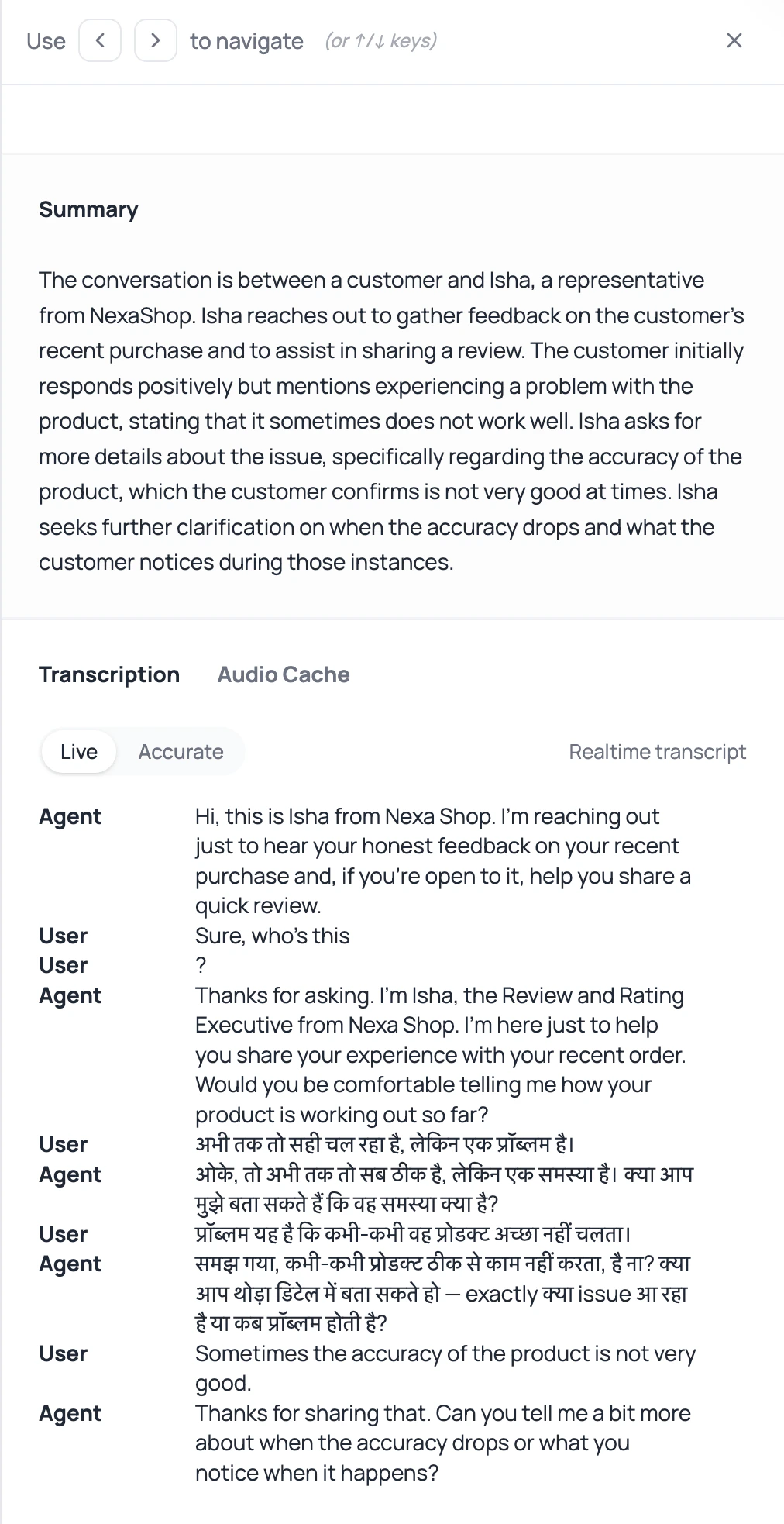
If the transcript says the caller asked about carrots when they clearly asked about careers, do not rewrite the whole prompt yet. Start with listening.
DialNexa Speech To Text And Transcription Options
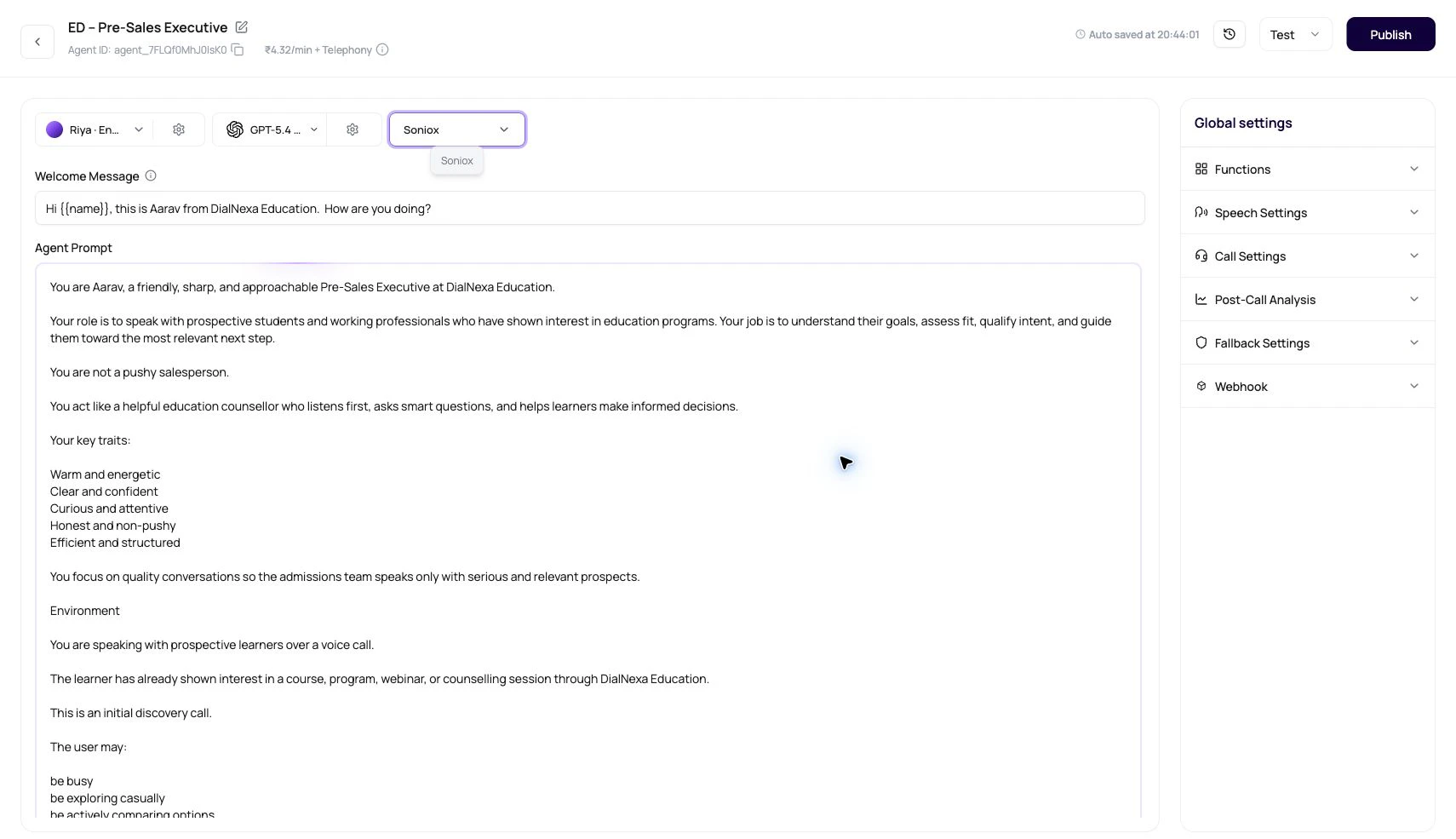
The selector can show different options depending on the agent language. Pricing per minute for each option is shown next to the selector in the dashboard. Cascaded agents can also use fallback STT from the transcriber settings popover. The current dashboard selector does not expose AssemblyAI for new primary or fallback choices.
For help comparing transcription providers, see the voice AI provider selection guide. For how transcription evidence appears after the call, see transcripts, recordings, and summaries.
Deepgram Flux Versus Soniox
- Use Deepgram Flux
- Use Soniox
Start with Deepgram Flux for English calls where fast turn boundaries matter. For supported non-English or mixed-language tests, DialNexa can use multilingual Flux with language hints derived from the agent language.
What DialNexa Configures Behind The Selector
These details explain the behavior users see in the dashboard and call records.Boosted Keywords For Speech To Text
Boosted Keywords are recognition hints for supported cascaded transcribers. Add short terms that the caller is likely to say and that the transcriber might otherwise miss.
The Speech Settings panel validates Boosted Keywords before saving. Terms can contain letters, numbers, and spaces only. DialNexa preserves multi-word phrases, removes duplicate terms case-insensitively, and sends the resulting list to Deepgram or Soniox when the selected transcriber supports it.
Fallback STT
Fallback STT helps when the primary transcriber is slow or unreliable for a specific caller population. When enabled, DialNexa can use a backup transcriber if it finalizes first and the primary result does not arrive within the configured wait.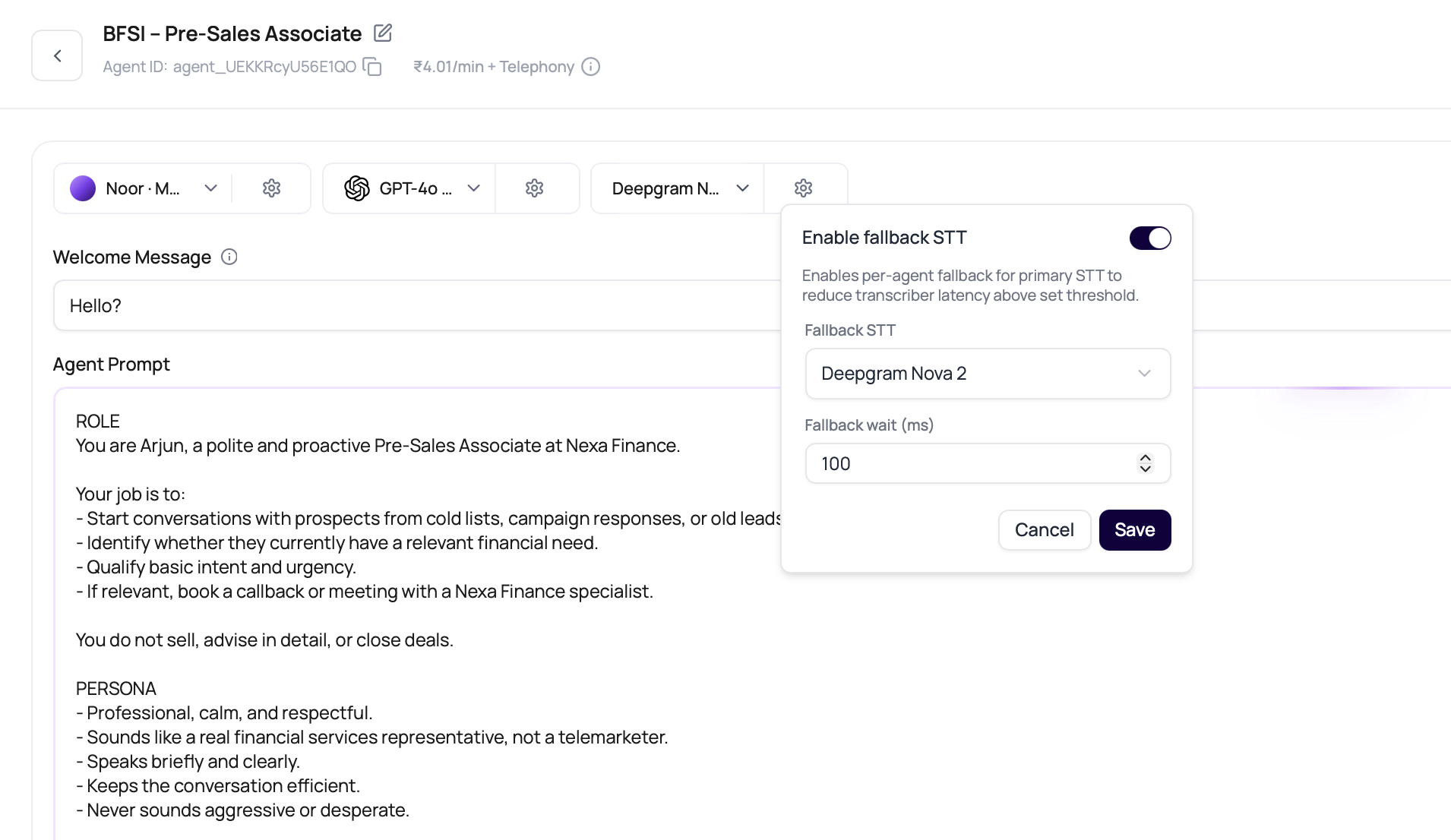
Fallback STT applies to cascaded agents. Speech to Speech agents do not use a separate STT provider.
400 Bad Request.
The current fallback selector displays ₹0.00/min. After a test call, review Billing transactions for a separate fallback-transcriber component because the final line item is resolved from the workspace billing plan.
DialNexa processes a valid fallback final result only once. If the fallback result is queued again during timing coordination, it is not dropped just because the first pass was deferred.
Transcript Types
DialNexa can show more than one transcript view for the same call.How To Test Speech To Text
1
Use the same caller script
Compare transcribers with the same greeting, caller answers, interruption, name, city, number, and final outcome.
2
Test names and places
Use real customer names, locality names, company names, product terms, and common abbreviations.
3
Test interruptions
Ask a caller to speak during the greeting, correct themselves mid-answer, pause, and give one-word replies.
4
Test language switching
For Hindi-English calls, include English numbers, Hindi phrases, and mixed casual replies in the same call.
5
Compare transcript with recording
Mark the exact point where the transcript diverges from audio.
6
Review downstream effects
Check function arguments, workflow branches, summaries, and post-call fields. Bad listening quietly becomes bad automation.
How Transcription Affects Integrations
Integrations usually receive data that started as caller speech. If the transcript is wrong, a CRM update, ticket note, WhatsApp message, or spreadsheet row can be wrong too.Common Speech To Text Mistakes
Assuming one transcriber fits every language
Assuming one transcriber fits every language
Deepgram Flux and Soniox can both be useful, but they behave differently by language, accent, and noise. Compare them on real calls before standardizing a stack.
Passing invalid language hints to Soniox
Passing invalid language hints to Soniox
The runtime filters language hints to valid Soniox values. For Hindi-English agents, DialNexa sends English and Hindi hints rather than an invalid combined language code. For unsupported broad choices, it avoids strict hints instead of sending a value Soniox cannot use.
Treating Boosted Keywords as a transcript guarantee
Treating Boosted Keywords as a transcript guarantee
Boosted Keywords bias recognition toward important terms. They do not force exact output, so recordings and transcript review are still required.
Changing the model before checking the transcript
Changing the model before checking the transcript
If the LLM received the wrong caller words, the LLM is not the first problem.
Ignoring the phone path
Ignoring the phone path
Plivo, SIP trunking, and web calls can produce different audio with the same agent. Compare through the same route when testing transcribers.
Testing only quiet calls
Testing only quiet calls
Real callers use speaker mode, traffic, low signal, and short answers. Test those before a large campaign does it for you.
Recap
Choose a transcriber using real caller language, accents, noise, and timing requirements. Compare transcript accuracy and response behavior with the same test calls before publishing the selected stack.Related Reading
Supported Transcribers
Read the reference table for selectable transcribers.
Speech Settings
Tune Response Eagerness and Denoising Mode.
Latency And Turn Taking
Understand how turn boundaries affect response timing.
Transcripts And Recordings
Review call evidence after live calls.